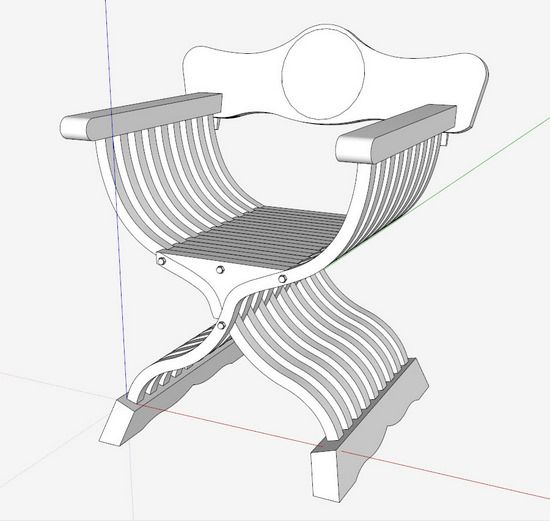
While developing the Jefferson Campeche Chair (first in SketchUp, then in the shop), I ran across an interesting 20-page document titled, “The Campeche Chair in The Metropolitan Museum of Art”. (This paper can be found in the Metropolitan Museum Journal 38, 2003). It shows pictures of various Campeche Chairs, but also includes pictures of ancient chairs of Roman, Greek, and Egyptian origin.
A common thread among all of these chairs is the “curule” construction which basically includes an X-brace configuration of the legs. Often these early chairs and stools were also foldable. A more modern interpretation includes a Savonarola chair. I suppose one could even extrapolate this construction to an Adirondack.
Anyway, there is interest here locally at school to reconstruct a chair of this ancient origin. So I’ve begun this process in SketchUp using the information and pictures available in the above reference paper by the Metropolitan Museum of Art.
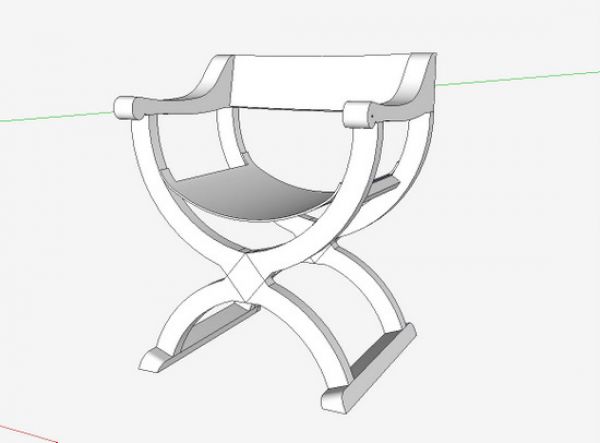
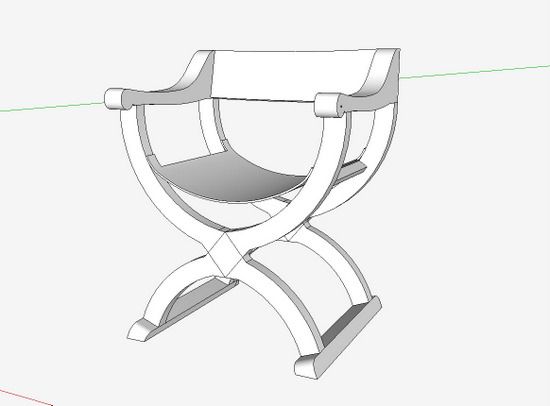
I started with a Hip-joint armchair of Spanish origin as shown below in the SketchUp model.
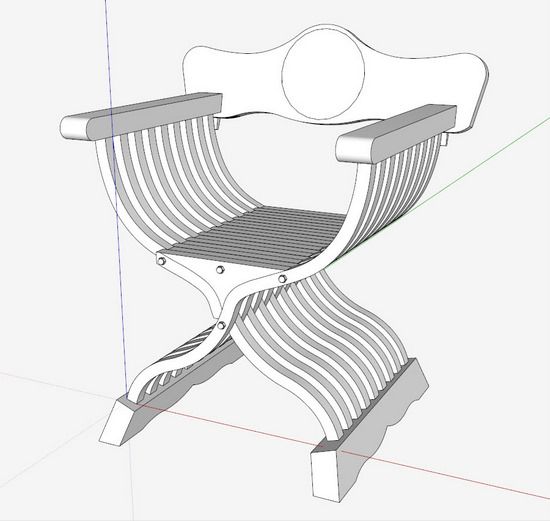
But there has been more interest in an Italian Folding Chair of the 16th Century as shown here:
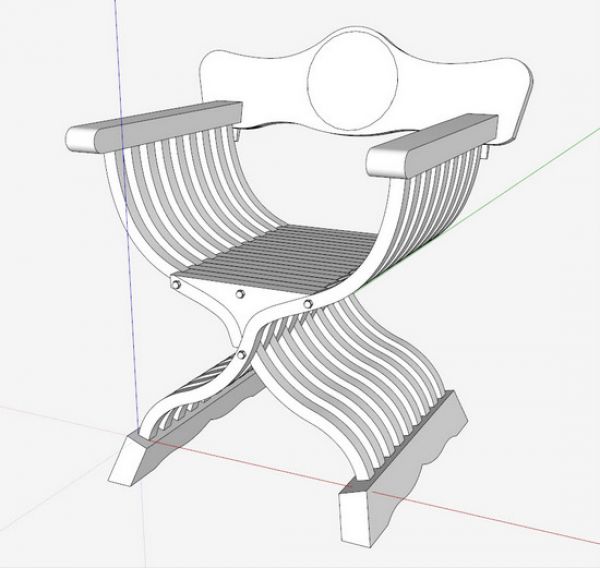
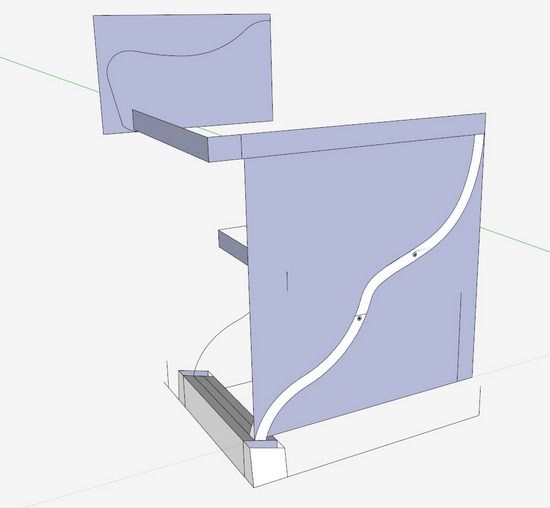
I initiated this SketchUp model by importing the picture from the reference paper. As you know, there are three options for importing pictures – Use as Image, Use as Texture, or Use as New Matched Photo. Since the photo was more of an isometric view, rather than orthographic, I used this last option, Matched Photo. This introduces a more complex procedure of modeling, but can yield more helpful 3D information.
Here is the result of my Photo Match, not very pretty or sophisticated, but full of 3D sizing and location data that makes the detailing of the model much easier.
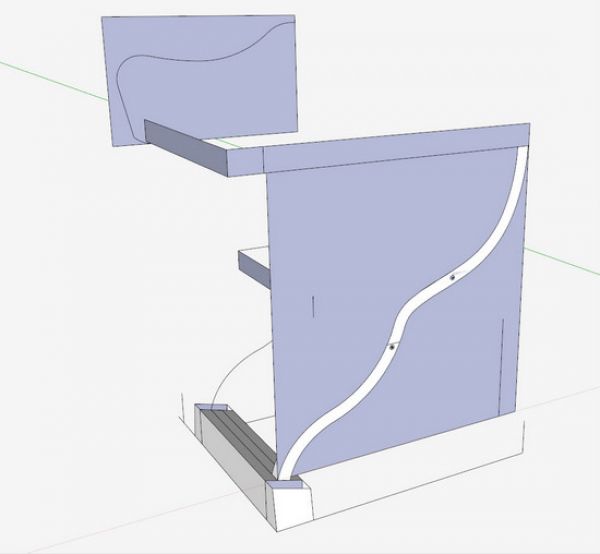
Since the article gave me overall dimensions for width, height, and depth, I was able to use this rough information to develop details of the model. Also, this photomatch gives me the sizing for the feet, legs, arm, and back, along with their relative positions.
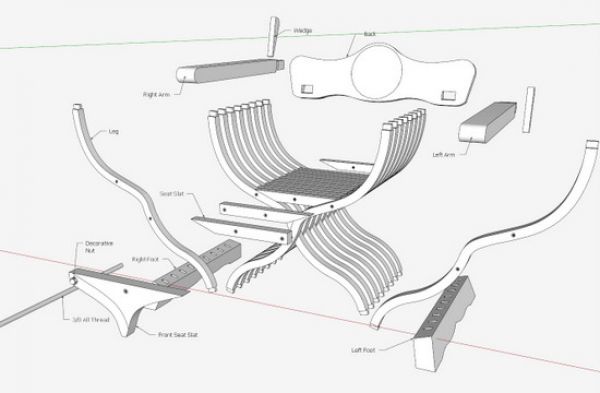
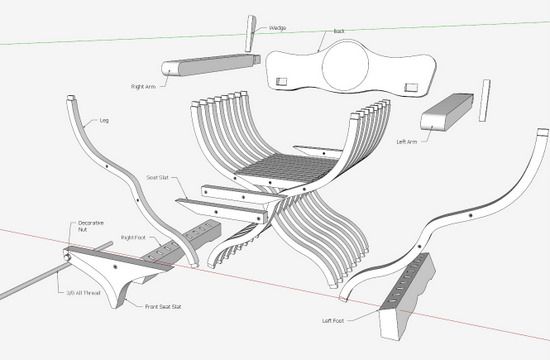
After, creating the model, I began developing the documentation that is used in the shop. For example, here is the Exploded View.
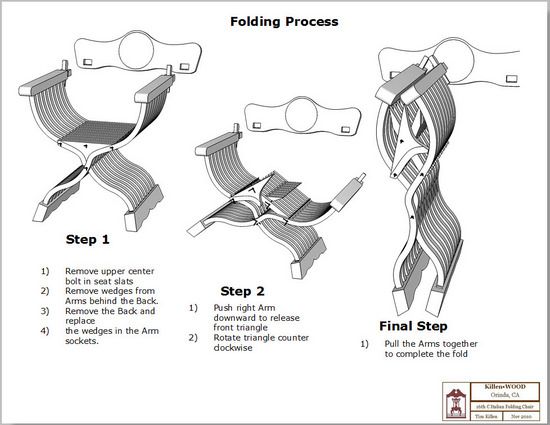
I also used the model to sort out the folding procedure, shown below in three steps (using Layout). However, I doubt anyone will actually do an unfold.
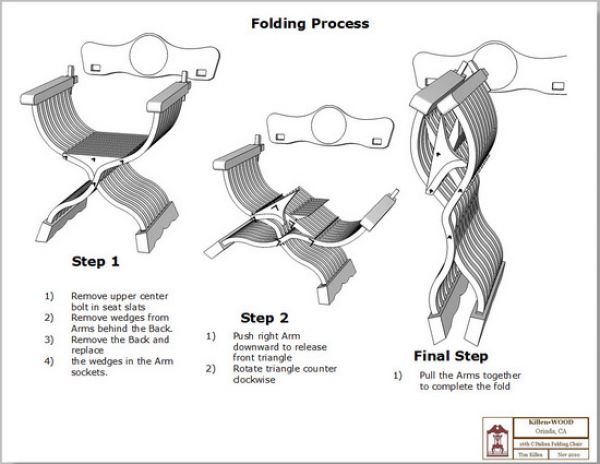
It is valuable to be able to rotate the parts of this chair in the computer grabbing it at the fulcrum. You could create a small model in real material, but this way I’m saving time and improving the model from the computer simulation.
Now on to the shop……














Comments
That chair in whatever variation would be a family hierloom for anyone anywhere!
I would welcome an opportunity to further it`s appeal with carving something into it`s back plate. Dang what a sweet chair.
To starvncarvn: you are right that the chair needs some decoration. The originals were covered with fancy inlay of ivory, for example. So the builder has a lot of opportunity here to express oneself.
Tim
Where can I find a measured drawing for this chair?
To Templeporter: we can discuss your request via email.....
Tim
[email protected]
Log in or create an account to post a comment.
Sign up Log in