JOIN TODAY!
Become an ONLINE MEMBER and get exclusive access to articles, videos, plans, and more


showing 1 - 20 of 336 posts
 1 2 3 Next >  Last
Sort By:


Subscribe to RSS feed

SketchUp 2013 Released Today

5 comments

SketchUp 2013 was released today. You can download the new versions, Pro and SketchUp Make (the free version) from the SketchUp site.  There are many under-the-hood improvements in the new versions...

view details
The Adjustable Screw

The Adjustable Screw

In the past I've written about making and saving components for future use. I've stressed repeatedly the use of components instead of groups and how to leverage components to save yourself work and...

view details
Williamsburg Knife Box - Part 7

Williamsburg Knife Box - Part 7

In the last lesson (Part 6), I showed how to make and install the Handle or the Middle Spar. This is the last of a series on the Williamsburg Knife Box, and it covers the wrap around small edge...

view details
Curved Surfaces in SketchUp

Curved Surfaces in SketchUp

16 comments

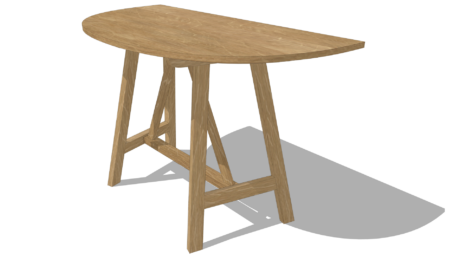
I've been wanting to do another blog post to demonstrate handling curved surfaces in SketchUp. While trolling the internet the other day I came across this side table by Robert Sukrachand that has...

view details
A New Way To Install Plugins and a Tool for Creating Custom Toolbars

A New Way To Install Plugins and a Tool for Creating Custom Toolbars

1 comment

Recently Sketchucation released the Plugin Store, the fastest and easiest way to get and manage plugins for SketchUp. Once you've installed the Plugin Store plugin, you'll have access to hundreds of...

view details
Williamsburg Knife Box - Part 6

Williamsburg Knife Box - Part 6

We're getting close to the end of this series - one more to do after this one, covering the base molding. In this penultimate part, we will add the Handle to the existing assembly of the Knife Box...

view details
Intersects to Create Mortises

Intersects to Create Mortises

3 comments

There are several different Intersect Faces options in SketchUp. The one most folks seem to use is Intersect Faces>With Model. I find in most cases that Intersect Faces>With Selection is more useful...

view details
A Curved Leg With a Simple Inlay

A Curved Leg With a Simple Inlay

2 comments

A gentleman sent me a Sketchup file looking for a little guidance in drawing legs something like those on this table. He'd gotten up to the point of rounding over the outer face after which he wanted...

view details
Knife Box - Williamsburg, Part 5

Knife Box - Williamsburg, Part 5

In the last blog post (Part 4), I showed making the dovetail pins in the Side component. In this video, I show how to use these already-made pins to create the matching tails in the End...

view details
Drawing Curves Through Points

Drawing Curves Through Points

Often when you are drawing curves in SketchUp, you can manage using the Arc tool locating the end points and either the height of the arc (the bulge distance) or the radius. The Arc tool only draws...

view details
Knife Box - Williamsburg, Part 4

Knife Box - Williamsburg, Part 4

In the last Part 3 of this series, I showed making the full-length Side and End components for the Williamsburg Knife Box. I also copied and flipped these components and placed on a full width box...

view details
Designing a Bandsaw Box

Designing a Bandsaw Box

1 comment

I received an inquiry from someone asking if SketchUp could be used to design bandsaw boxes. Although I hadn't really thought about doing so, I realized that it would work well for this. Often all...

view details
Knife Box - Williamsburg, Part 3

Knife Box - Williamsburg, Part 3

This is Part 3 of a series of videos on building the Williamsburg Knife Box. In the previous blog entry, I showed the making of the half length symmetrical End and Side components, and ensuring that...

view details
The Right Way to Approach It

The Right Way to Approach It

6 comments

Where do you start when you are drawing something in SketchUp? What is the right way to draw it? Often it doesn't really matter as long as you get to the end successfully. It can be like the age old...

view details
Coming Clean with Solid Modeling Techniques

Coming Clean with Solid Modeling Techniques

3 comments

Recently I had a discussion with a friend about modeling in SketchUp. We got to talking about things that create problems for users when drawing. These issues sometimes cause problems  Here are a...

view details
Knife Box - Williamsburg, Part 2

Knife Box - Williamsburg, Part 2

2 comments

My last blog entry set the stage for building this Knife Box, one that was presented at the January Williamsburg conference "Working Wood in the 18th Century". This video is second in the series...

view details
Countersinking Holes

Countersinking Holes

1 comment

There was a question in the Knots SketchUp forum concerning drawing countersunk holes. I decided to do a quick demo showing a way to create them using the Move tool. There are other methods but this...

view details
A Step Stool With Box Joints and Loose Tenons

A Step Stool With Box Joints and Loose Tenons

21 comments

The other day I received an e-mail from a reader who was struggling with small step stool he was trying to draw. His stool has angled legs that are wider at the bottom than at the top. The bevels and...

view details
Wudworx--A Handy Plugin Set For Joinery

Wudworx--A Handy Plugin Set For Joinery

7 comments

Almost exactly two years ago I wrote about a plugin tool set called Wudworx which has been very helpful for me in speeding up the process of drawing dovetail joints as well as basic mortises and...

view details
Knife Box - Williamsburg Conference

Knife Box - Williamsburg Conference

1 comment

Here's a worthy challenge for woodworkers using SketchUp. Modeling this Williamsburg Knife Box requires execution of most key SketchUp Tools and features. The Box's compound angles, bold scroll...

view details
showing 1 - 20 of 336 posts
 1 2 3 Next >  Last

Advertise here for as little as $50. Learn how

About Design. Click. Build.

Learn the art and science of designing furniture in SketchUp with Fine Woodworking's official blog. Moderated by a devoted community of woodworkers, we feature step-by-step SketchUp tutorials on designing components, downloads of pre-built 3D models of furniture parts, and news and information about the evolving world of digital furniture design.

Buy the Video
Don't miss Dave Richard's brand-new DVD/video download, The Basics.

Buy the Book
Get Tim Killen's popular eBook, the Google SketchUp Guide for Woodworkers.

Basic SketchUp Tutorials 
Learn the basics of building furniture in SketchUp with these classic posts from the Design. Click. Build. blog.

Creating a Project Plan in SketchUp
How I Draw in SketchUp
Axes in SketchUp
The SketchUp Move Tool
The SketchUp Rotate Tool
The SketchUp Scale Tool

Materials, Colors, and Textures
Applying Wood Grain Skins in SketchUp

Easy Dovetail Joints in SketchUp

Digital Project Plans


Download and modify SketchUp files for select projects from Fine Woodworking. View all.

Top Sellers:
Matt's Monster Workbench
New England Pine Cupboard
Garden Bench

Meet the Authors

DaveRichards

DaveRichards

I am a Biomedical Equipment Technician. I maintain anesthesia and respiratory equipment for the largest medical facility in southeast Minnesota. I...
view profile
Killenwood

Tim Killen

I am retired from Bechtel Corporation after 36 years in Engineering and IT management. I grew up among woodworking machinery in...
view profile
FineWoodworkingEditors

FineWoodworkingEditors

...
view profile