
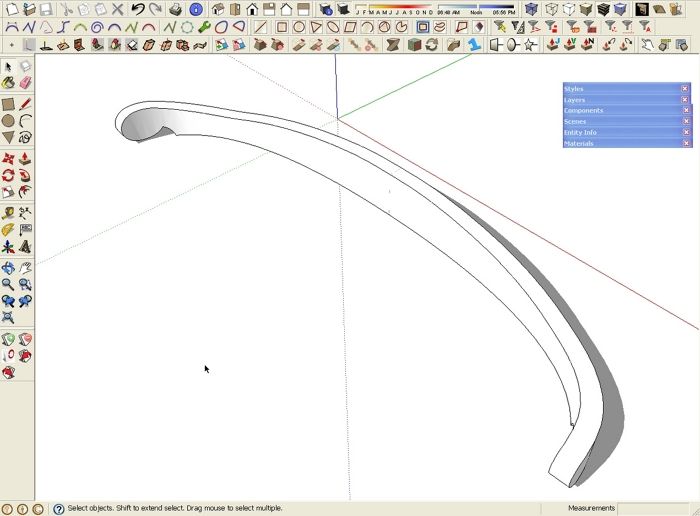
I’m always on the lookout for new plugins that will make it easier to draw the sorts of things woodworkers build out of wood. Recently I wrote about a plugin that allows you to bend a flat component to make it curved. that one is part of a collection of tools that allow you to modify a shape in interesting ways. The other day, the beta version of a new Bend plugin was released by Chris Fullmer. It allows you to bend the geomtry to correspond to a curve drawn in the model. Here’s one example of how it could be used.
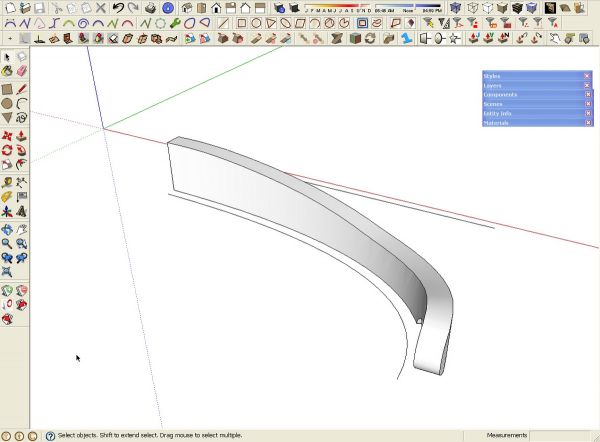
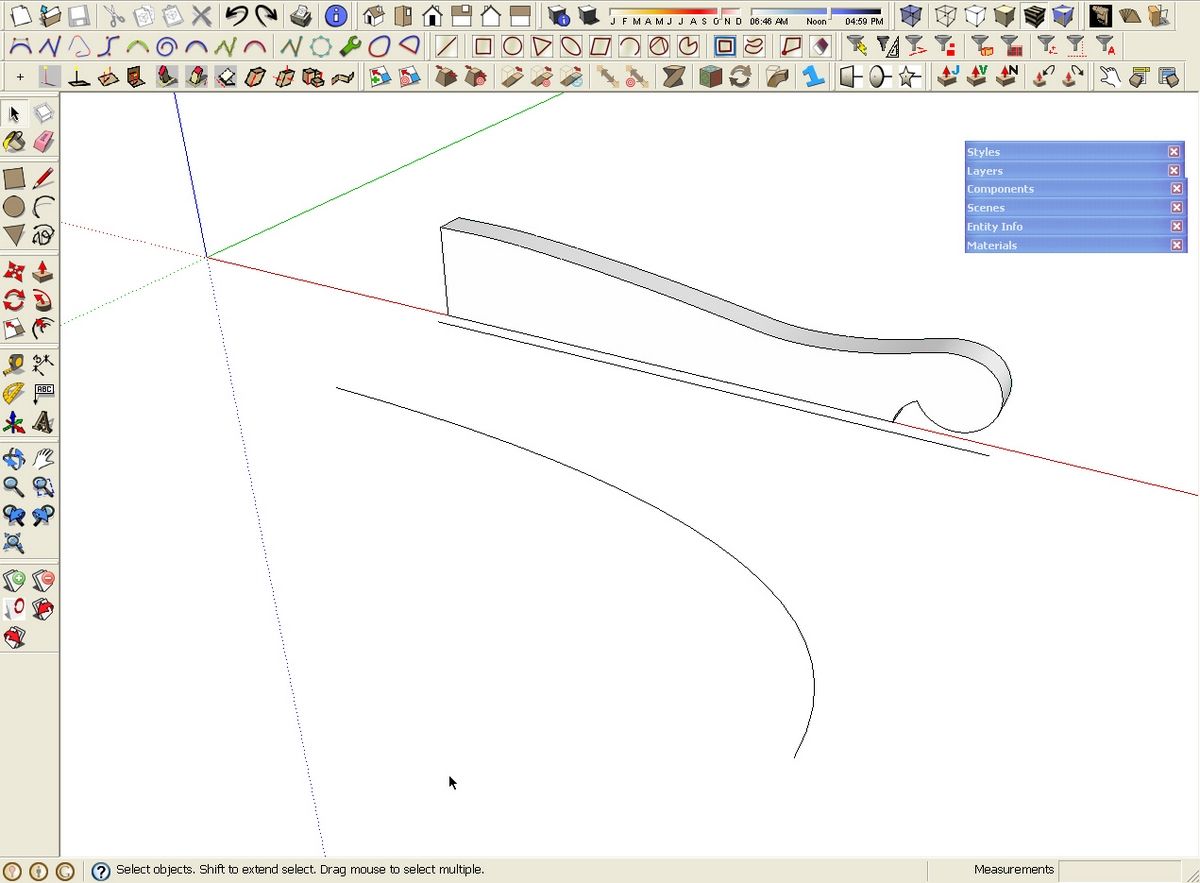
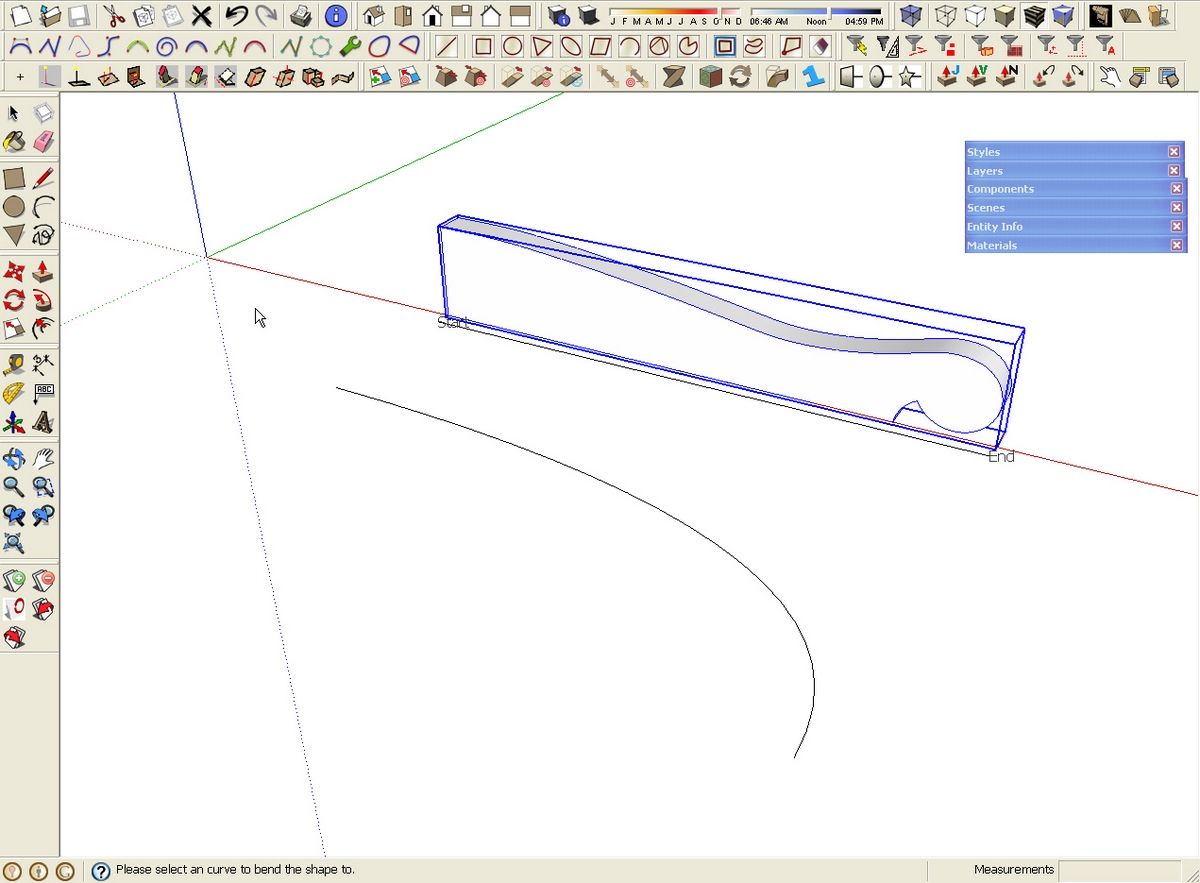
I started with the pattern for a crest rail for a Windsor chair that Tim Killen had drawn. I used Push/Pull to give it some thickness and then made it a group. I’ve mentioned in the past that I don’t use groups. At this point the plugin doesn’t work on components so I make an exception. After making the group I drew a line parallel to the front, bottom edge of the group and 1/2″ in front of it. this line is the same length as the group.
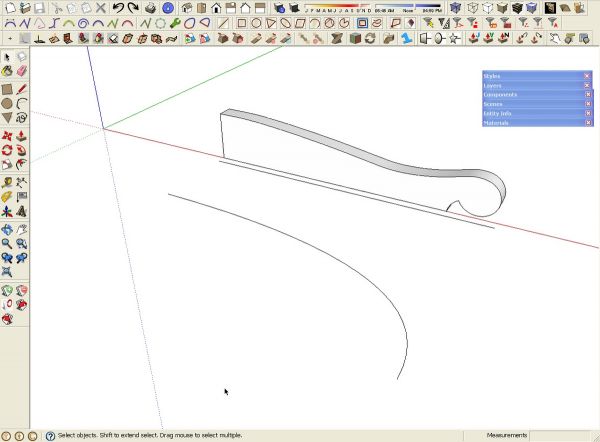
The next stage of the setup is to draw a curve to which the group needs to conform. I drew a curve using the Bezier tool. I decided on the curve I wanted the rail to follow and then offset from that curve a new one 1/2″ away. I deleted the original curve and was left with the following.
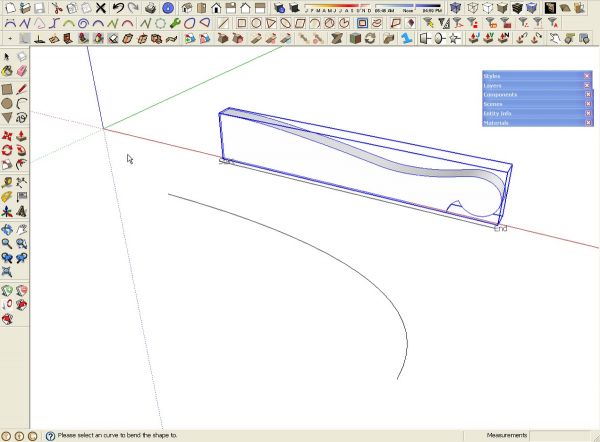
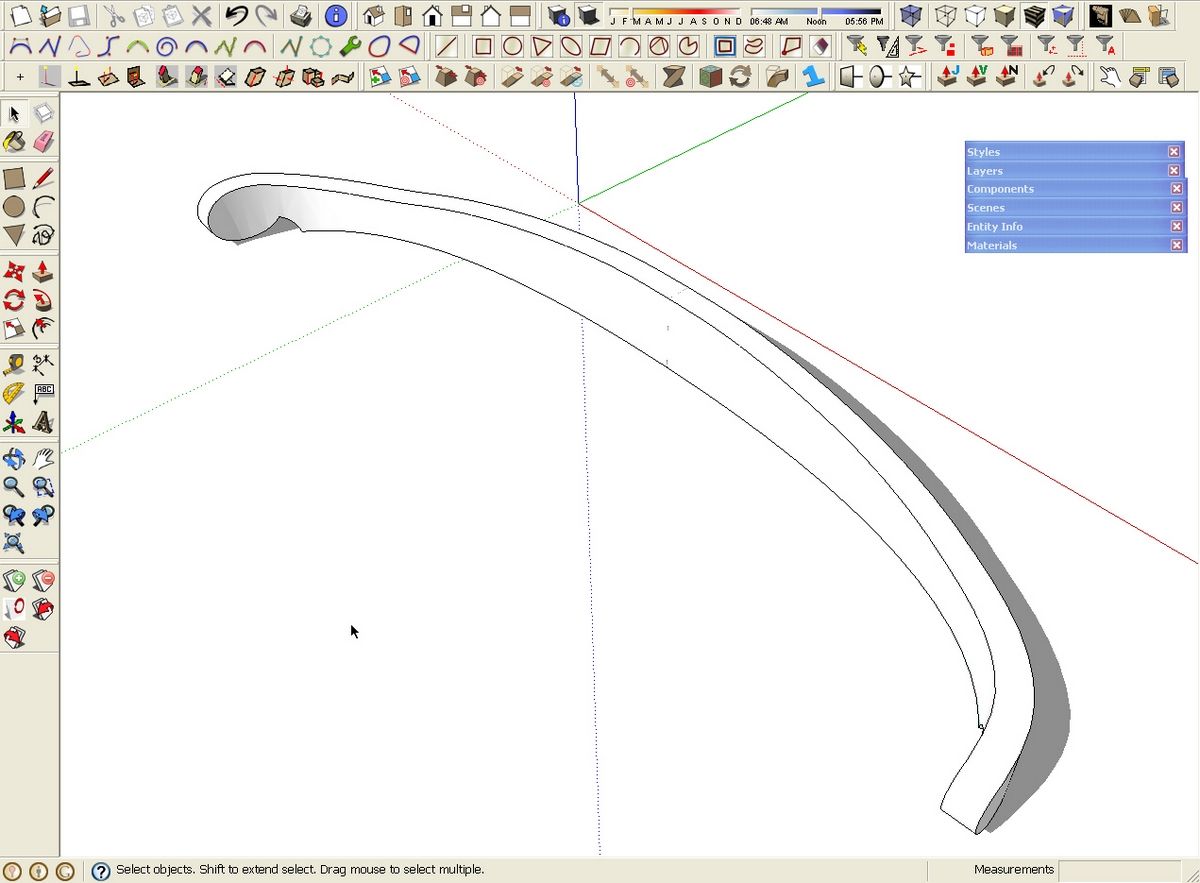
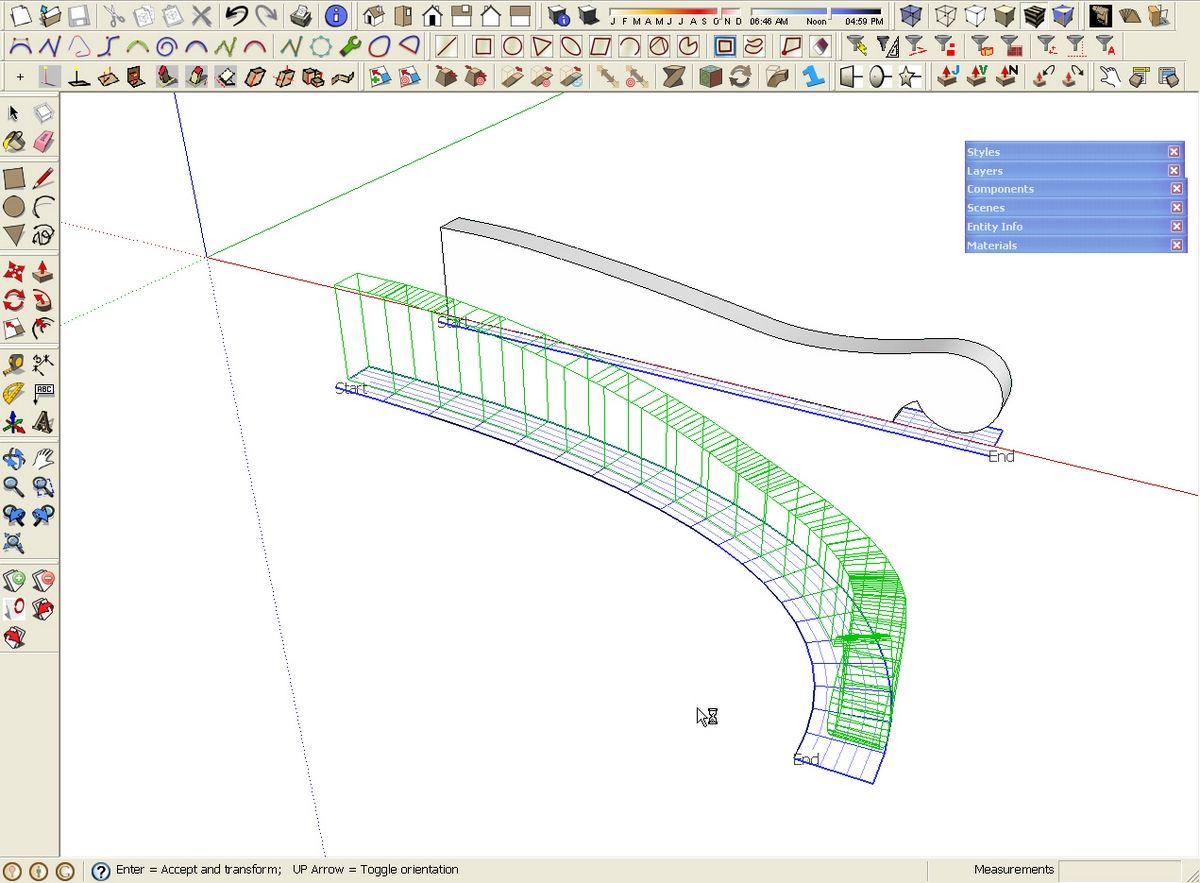
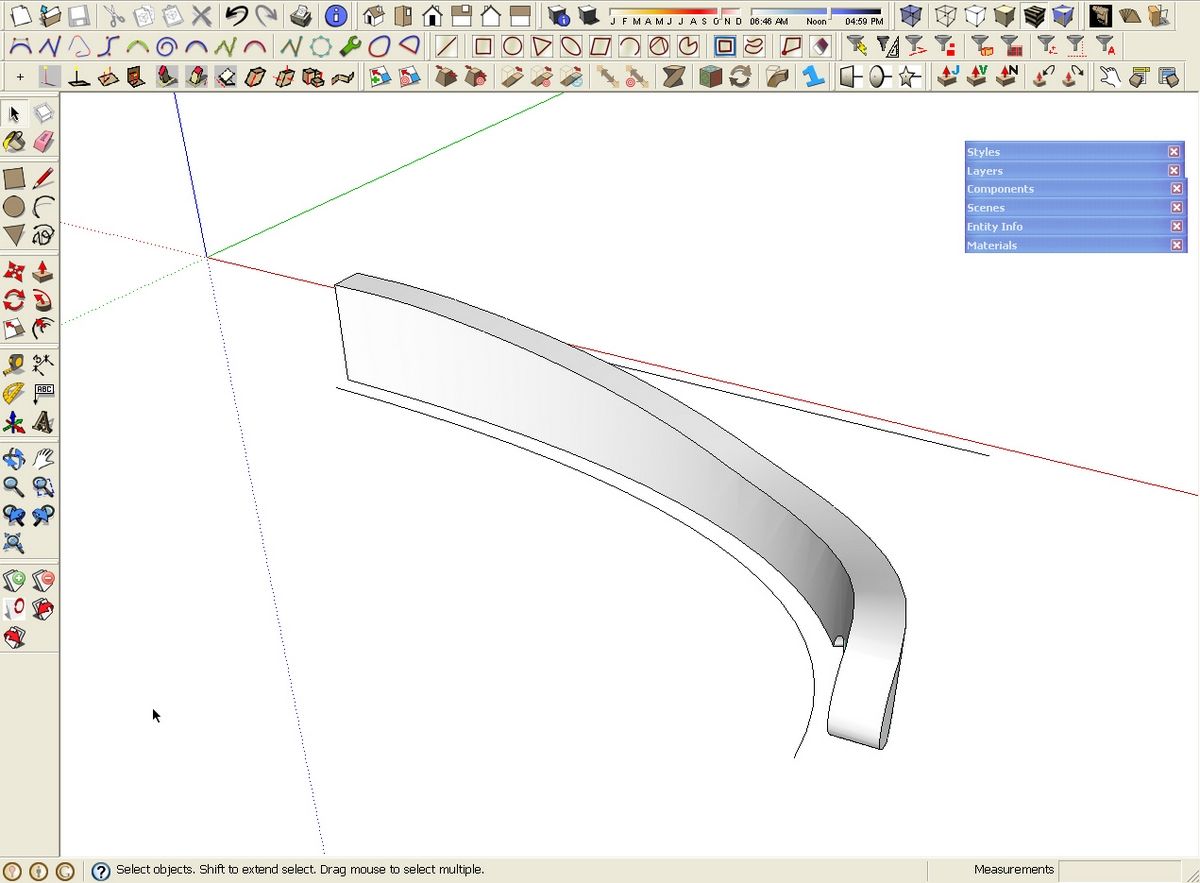
To create the bend, select the group and then get the Bend tool. It’ll be under Plugins>Chris Fullmer Tools. Select the straight line followed by the curve. After it thinks for a few moments, hit the Enter key. You can choose which side of the curve the geometry is placed on using the Up Arrow key to toggle sides.
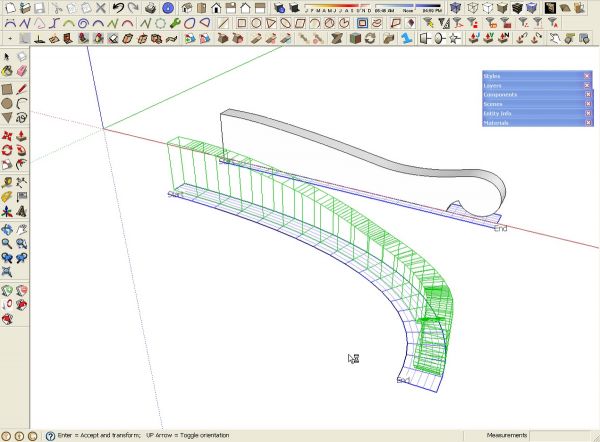
The group is exploded after the bend operation which is just fine. I make it a component and in this case, copied and flipped the copy to complete the crest rail.
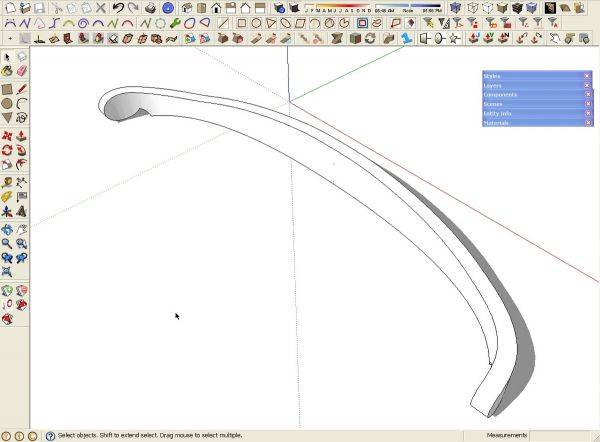
I think there’s some amazing possibilities for this. Give it a try. Keep in mind though, it is a beta version. I would expect you might find some unusual behavior in some case but so far, I’ve found very few problems. I imagine it won’t be long before updates are available.
The bend plugin is available at this link. Bezier.rb is available here.















Comments
Thanks Dave,
Chris Fullmer just added Beta v0.2 that allows you to use components (instead of just groups):
http://www.sketchucation.com/forums/scf/viewtopic.php?f=180&t=18210
Bill
Bill, you're welcome. it's a fluid thing right now. V0.25, or 2.5, depending on what you read, was just released.
Hi, Where do you find the Bezier tool and where does one go to find the bend plug in. Regards Richard
Baben,
The link to the Bend plugin was given at the top of the article but I've added a link to it at the bottom of the article along with a link to Bezier.rb.
Dave
I just downloaded the Shape Bender Plugin on a Mac and a PC and I can't get it to work on either one. Once I select the shape to bend and choose the shape bender tool, I can't get the straight line to highlight. The pointer icon doesnt change either. What am I doing wrong. I made sure the line was on the red axis, but still no luck. Any help would be appreciated.
Jeff
Jeff, I'm not sure why the problem. I'll look into it though. Did you install progressbar.rb too?
Dave
Dave
I did download progressbar.rb prior to downloading the shape bender tool. I put it in the same plug in folder as my other scripts.
I even get a message at the bottom asking me to select the single straight line after selecting the shape to bend, but it will not let me.
I am relatively new to downloading plug ins, but this is the first time that one has not worked for me.
Thank You
Jeff
Jeff, out of curiosity, have you gone to Preferences>Extensions and checked all of the boxes? Preferences can be found under Window on PC and under SketchUp on the Mac.
Another thing to do is open the Ruby Console and try running the plugin. Do you get any sort of message in the console? If so, perhaps you could copy it and e-mail it to me.
Dave
Dave, I do get a long string of text. What is your email address?
Jeff
Jeff, click on my name at the end of the blog post.
Log in or create an account to post a comment.
Sign up Log in