Subscribe to RSS feed
An Elliptical Window
2 commentsI again attended the Colonial Williamsburg conference, Working Wood in the 18th Century. This year the theme was Furniture of George and Martha Washington, therefore presentations and demonstrations...
view details
Warming Up
Back in FWW#196 Gary Rogowski wrote an article advocating some morning warm-up exercises as a way to start his day in the shop. He likes to cut a quick dovetail joint in a couple of scraps. It's not...
view details
Mitering Moldings
6 commentsA friend of mine in the UK is working on a SketchUp drawing of a tall clock. this morning he sent me his file asking for some direction as far as mitering a molding made of several separate pieces...
view details
Open the Door
Sometimes it's good to show the inside of the cabinet. A viewer may want to know the number of shelves, or what it looks like inside. So often I'm preparing a separate scene with a view inside...
view details
Opposing Arches
Our reader, noman1, asked about drawing a pair of opposing arches. The video shows one way to draw them. The method is slightly more involved than it might be but it isn't at all difficult. These...
view details
Troubleshooting a Model
2 commentsAlmost everyday I receive a SketchUp model from somewhere in the world. It is usually an attachment to an email describing a problem performing an action described in one of the many steps outlined...
view details
A Leg With Curves
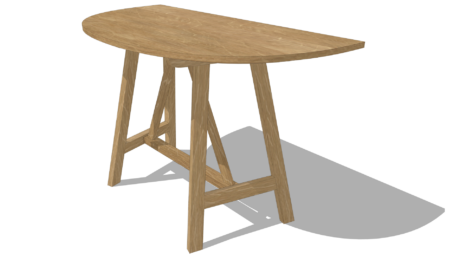
7 commentsA reader asked me to describe how to make legs of the sort shown on this table. Here's one way to do it.
view details
Happy Holidays
3 commentsTo all of our readers, here's wishing you a happy holiday season. Thanks for your help.
view details
Tips on Dimensions
7 commentsMaking effective dimensioned drawings is an art. It's not so easy to figure out what dimensions are needed and how they should be displayed. I'm always impressed by drawings done by John Kassay in...
view details
SketchUp 8 M2 Released
7 commentsYesterday Google released the second maintenance release of SketchUp 8. There are more than 150 bug fixes and other under-the-hood tweaks. For those who have difficulty installing plugins from ZIP...
view details
Chamfering the Exposed Tenon End
5 commentsSome furniture styles (especially Arts & Crafts) like to show through tenons - not only are they "through" but often protruding slightly. Then they are chamfered around the outer...
view details
Recognizing a Reader
2 commentsOne week ago I received a surprising and satisfying email titled "I've Finished Your Book!!" I must admit that this was a first. I receive many emails regarding my book, but none have claimed...
view details
Using Match Photo
There's a feature in SketchUp called Match Photo which allows the user to import a photograph and use it as a reference for drawing. It was originally intended to make it easy to draw buildings but...
view details
A Door to Match My Kitchen Cabinets
A few weeks ago on this blog, I presented my Kitchen Cabinet for an engineer. I did not include the paneled door, so this entry will fill that void. I chose to use a Shaker style cabinet door with a...
view details
Cleaning-up After an Intersection
4 commentsAfter executing an Intersection command in SketchUp, there are occasions when the results are not so good. You can have missing edges, holes, and lost faces. Often this is caused by SketchUps...
view details
Making a Cope and Stick Joint in SketchUp
2 commentsMaking a cope and stick joint in the shop is easy with a matched set of router bits and a router table. But it can be more challenging in SketchUp. The vertical stile is easy enough with the...
view details
Exchanging Components
In my previous blog post I wrote about locating the insertion point of components to make it easier to place them. Doing that makes it possible to just drag and drop them into other models. They wind...
view details
Drawing Precisely
In Chapter 12 of my book, I show the modeling for a Shaker Step Stool. A reader sent me a note with an attached SketchUp file showing the step stool at Step 8, page 82. At this stage of the drawing...
view details
Component Insertion
6 commentsIn my previous blog post I wrote about setting the insertion point for components to make them easy to place in models. A couple of readers let me know that they weren't sure how to do this. Some...
view details
Make It Go Faster
The other day I was involved in a discussion about how to speed up the drawing work. The point was that no matter how much time was spent creating the drawing of a project, you still have to...
view details
About Design. Click. Build.
Learn the art and science of designing furniture in SketchUp with Fine Woodworking's official blog. Moderated by a devoted community of woodworkers, we feature step-by-step SketchUp tutorials on designing components, downloads of pre-built 3D models of furniture parts, and news and information about the evolving world of digital furniture design.
Basic SketchUp Tutorials
Learn the basics of building furniture in SketchUp with these classic posts from the Design. Click. Build. blog.
Creating a Project Plan in SketchUp
How I Draw in SketchUp
Axes in SketchUp
The SketchUp Move Tool
The SketchUp Rotate Tool
The SketchUp Scale Tool
Materials, Colors, and Textures
Applying Wood Grain Skins in SketchUp
Easy Dovetail Joints in SketchUp
Digital Project Plans
Download and modify SketchUp files for select projects from Fine Woodworking. View all. Top Sellers: Matt's Monster Workbench New England Pine Cupboard Garden BenchMeet the Authors
I am a Biomedical Equipment Technician. I maintain anesthesia and respiratory equipment for the largest medical facility in southeast Minnesota. I...
view profile
I am retired from Bechtel Corporation after 36 years in Engineering and IT management. I grew up among woodworking machinery in...
view profile