tag: Sketchup
Subscribe to RSS feed
UPDATE: Google SketchUp Guide for Woodworkers - The Basics with Dave Richards
315 commentsSee who won a copy of Google SketchUp Guide for Woodworkers - The Basics
view details
Elongated Holes in SketchUp
3 commentsIn my book Chapter 9, Step 30, there are instructions for placing elongated holes in the Top Frame for fastening the Top. They're elongated to account for seasonal movement of the Top...
view details
TV Stand
This TV stand is made from Oak and Oak veneer plywood I had in the shop. This was a Christmas gift for the family this year. Simple design that does the job.
view details
Shaker Lap Desk in SketchUp
14 commentsThe new Christian Becksvoort lap desk project was only online for a matter of days, when David Heim emailed me with a revamped SketchUp version of the desk. David edited Tim Killen’s brand new...
view details
Free Download: How to Use SketchUp Tools
26 commentsGet a taste of what Tim Killen’s new book, the SketchUp Guide for Woodworkers, is all about by downloading a free chapter on how to use SketchUp tools. The chapter will help you get familiar with eight of the basic tools including the line, eraser, push/pull, select, rectangle, circle, arc, and tape measure tools.
view details
Bombe Chest - An Exercise in Complex Geometry - Pt. 1
4 commentsI have a bunch of great woodworking friends who use SketchUp. They are always coming up with challenging projects. One of my friends asked me about how to go about drawing a chest like the one...
view details
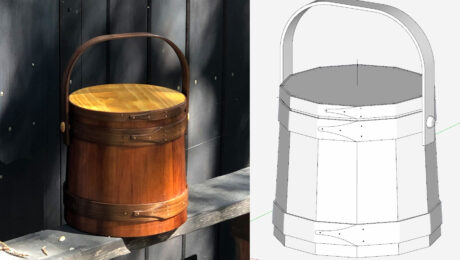
From Sketchup to Reality
Here is a picture of a design that started in Sketchup, then was rendered, then finally built. I did several variations of the design and actually built 6 different doors, 6 different stands, and...
view details
Creating a Pummel, the Square-to-Round Section in Turnings
8 commentsOften furniture with turned legs and stretchers have pummels or square sections of the turning. Both Dave and I have previously shown methods for handling this complexity. A reader recently asked to...
view details
How to Use SketchUp to Get the Most from a Digital Woodworking Plan
7 commentsHave you purchased a Digital Plan from FineWoodworking.com? Here's how can you take advantage of the digital file to zoom in, print, x-ray, and review every detail and measurement in SketchUp
view details
Plugins - An Updated List
11 commentsAnother look at some SketchUp plugins that woodworkers might find useful.
view details
Modifying a Component - Adding Details
The other day I got an e-mail from a reader about the pull I wrote about in my previous blog entry. He asked me how I would go about adding steps to the top surface of the pull to give it a sort of...
view details
Drawing a Turning Gouge
9 commentsA demonstration of the Follow Me tool and Intersect with Model
view details
Creating an Animation in SketchUp
4 commentsA quick demo showing how to create an animation in SketchUp
view details
Using SketchUp For Project Templates
A neat tip for using SketchUp to make project templates.
view details
Creating Templates for a Complex Shape
11 commentsGenerate templates for sections along the length of the piece to make profile gauges in the shop.
view details
Jig Design in SketchUp - A Little Reverse Engineering
4 commentsUse your model to determine the jigs or templates you need to build it in the shop.
view details
Converting a Follow Me Molding to Separate Components
3 commentsA demonstration showing how to convert moldings drawn with Follow Me into separate components.
view details
Video: Quick and Easy Angled Chair Rail
2 commentsHow to draw a quick and easy angled chair rail in SketchUp
view details
Join Woodworkers Like You
283545 woodworkers have joined Fine Woodworking. Create your profile and join the Fine Woodworking community!
Create your profile now!