-
How to Apply an Aerosol Finish -
T-Track is a Smart Workbench Accessory -
Five Minute Guide: Glue-Ups -
Upgrade Your Jointer with a Segmented Cutterhead -
Box Making Tips and Tricks -
Best Tabletop Finish -
Buying and Using Trim Routers -
Router Jig for Perfectly Aligned Dadoes -
3 Steps to Great Glue-Ups: Sliding Dovetail Joints -
How to Sharpen a Card Scraper -
Fixing Woodworking Mistakes -
How to Cut Sliding Dovetail Joints -
Dedicated Sled Delivers Perfect Finger Joints -
Tablesaw Tapering Jig is Safer and Faster -
Five Minute Guide: How to Use a Tablesaw -
How to Drill Windsor Chair Mortises -
How to Make a Simple Jig for Offset Knife Hinges
Outfitting a Desk Drawer
comments (2) September 27th, 2012 in blogs
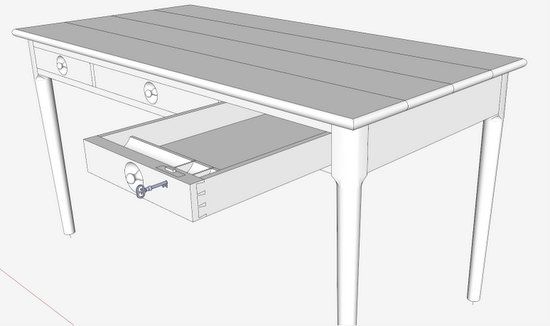
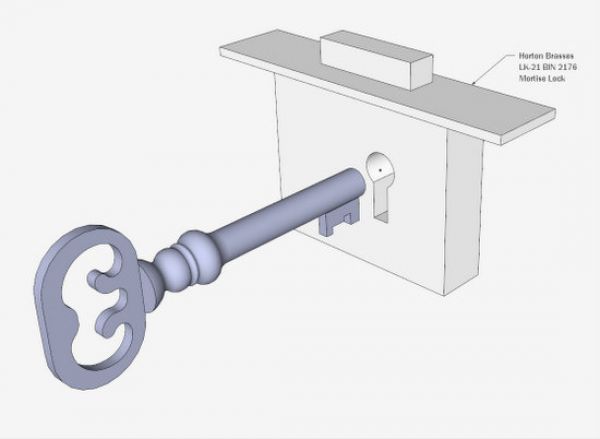
The following video shows how I outfitted a desk drawer. It includes placing the mortise lock and creating a pencil/pen trough. The placement of the lock is facilitated by prior modeling of the actual hardware. Early In a furniture project, I typically order my hardware. This gives me the opportunity of modeling it and including in the SketchUp file. In this way mortises and recesses are accurate in the model before I go to the shop.
In this particular desk, the drawer front is extra thick to account for the deep recess for the embedded handle pull. This thickness allows a mortise lock. Normally my drawer locks are not fully mortised rather recessed into the back face of the drawer front.
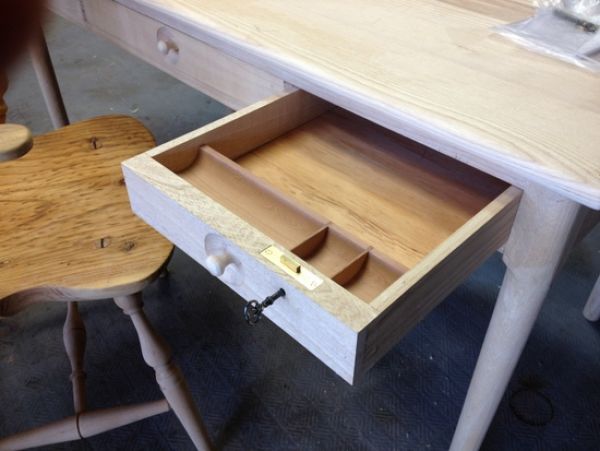
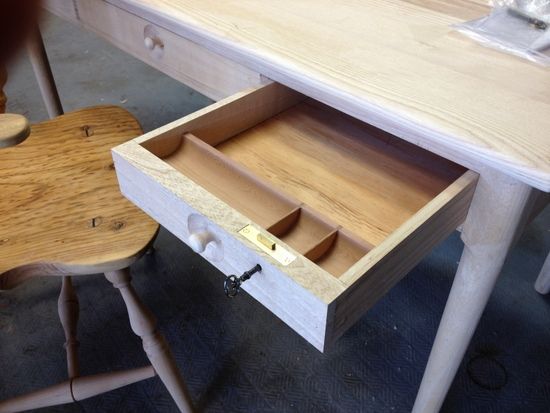
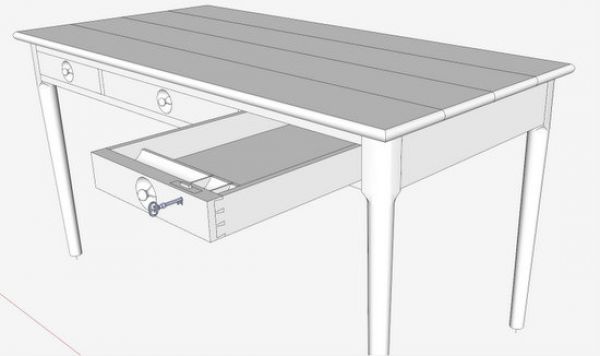
Here is a picture of the desk with the end drawer partially withdrawn. Note the drawer lock and the pen/pencil trough.
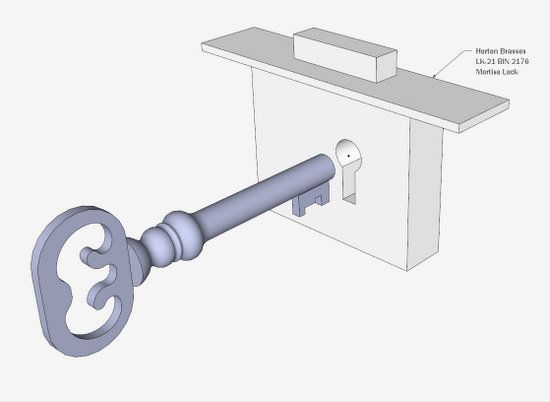
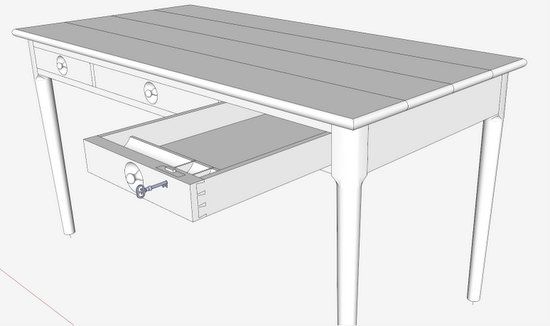
Here is the model of the mortise lock.
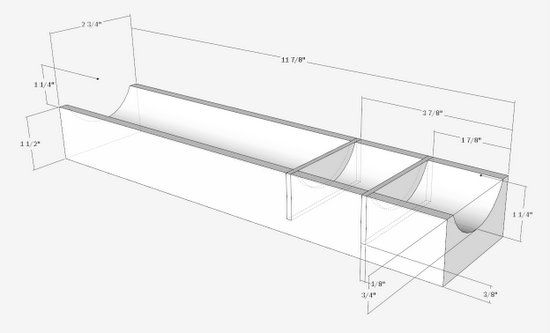
And here is the model of the trough.
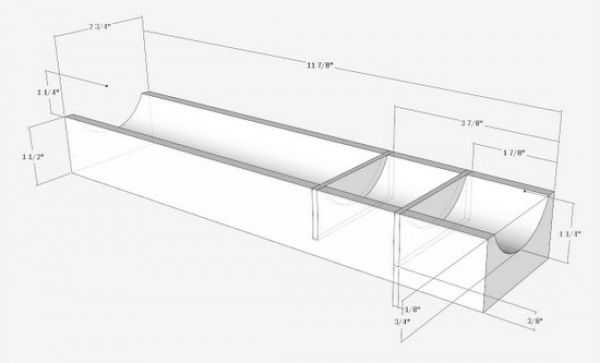
In the video, I incorrectly drew the trough at full depth of the drawer. Nevertheless, the procedure is and steps for SketchUp are correct.
Here is the shop construction......
Tim
posted in: blogs
Become a Better Woodworker
About Design. Click. Build.
Learn the art and science of designing furniture in SketchUp with Fine Woodworking's official blog. Moderated by a devoted community of woodworkers, we feature step-by-step SketchUp tutorials on designing components, downloads of pre-built 3D models of furniture parts, and news and information about the evolving world of digital furniture design.
Buy the Video
Don't miss Dave Richard's brand-new DVD/video download, The Basics.
Buy the Book
Get Tim Killen's popular eBook, the Google SketchUp Guide for Woodworkers.
Basic SketchUp Tutorials
Learn the basics of building furniture in SketchUp with these classic posts from the Design. Click. Build. blog.
Creating a Project Plan in SketchUp
How I Draw in SketchUp
Axes in SketchUp
The SketchUp Move Tool
The SketchUp Rotate Tool
The SketchUp Scale Tool
Materials, Colors, and Textures
Applying Wood Grain Skins in SketchUp
Easy Dovetail Joints in SketchUp
Digital Project Plans
Download and modify SketchUp files for select projects from Fine Woodworking. View all. Top Sellers: Matt's Monster Workbench New England Pine Cupboard Garden BenchMeet the Authors
|
|
DaveRichardsI am a Biomedical Equipment Technician. I maintain anesthesia and respiratory equipment for the largest medical facility in southeast Minnesota. I...view profile |
|
|
Tim KillenI am retired from Bechtel Corporation after 36 years in Engineering and IT management. I grew up among woodworking machinery in...view profile |
|
|
FineWoodworkingEditors...view profile |


Comments (2)
Tim
Posted: 9:53 am on September 28th
Posted: 8:34 am on September 28th
You must be logged in to post comments. Log in.