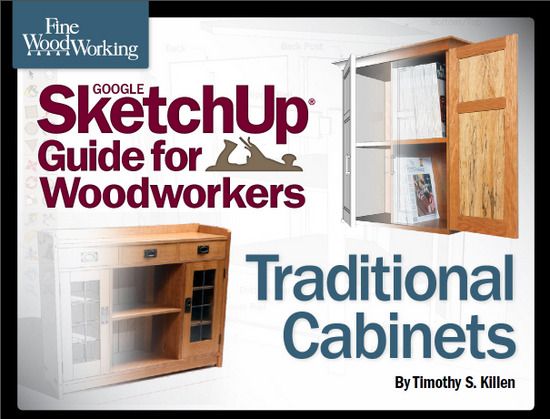
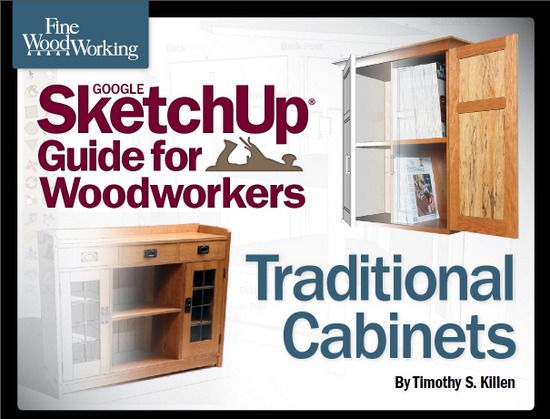
My second book on using SketchUp is now available in the Fine Woodworking Store. This is the reference location…. http://www.tauntonstore.com/google-sketchup-guide-for-woodworkers-traditional-cabinets-killen-ebook-077864.html
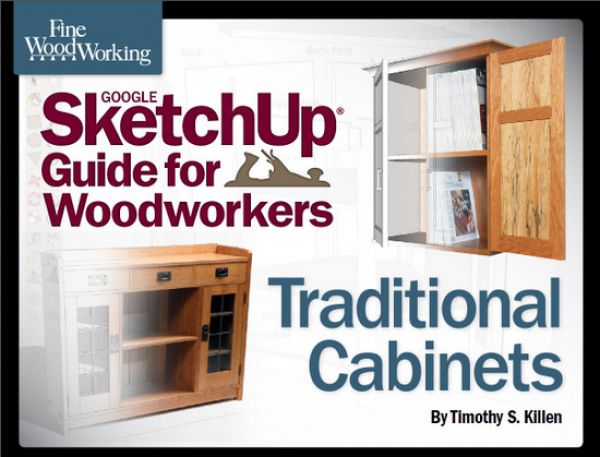
This book builds on skills and techniques covered in my first book, and focuses on mastering SketchUp for a specific furniture form – cabinets. I will show you how to create several representative styles of cabinets, ranging from fairly simple to quite complex; together they embody most of the design and structural consideration that go into any sturdy, attractive, well-made cabinet.
The SketchUp models will be worked thoroughly , down to the last detail. You won’t have to guess about joinery details, how doors are made, or how the back panel fits in place. The design detail will be comprehensive and complete.
My hope is that this book will help you in
these four ways:
- To develop a general knowledge of cabinet design and construction.
- To become familiar with 3D design,which will improve your woodworking.
- To show you how to customize existing SketchUp models.
- To show you how to create detailed design documents, making the actual shop work more efficient.
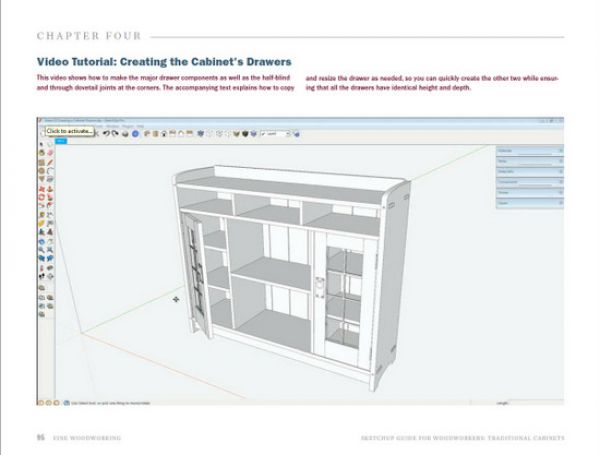
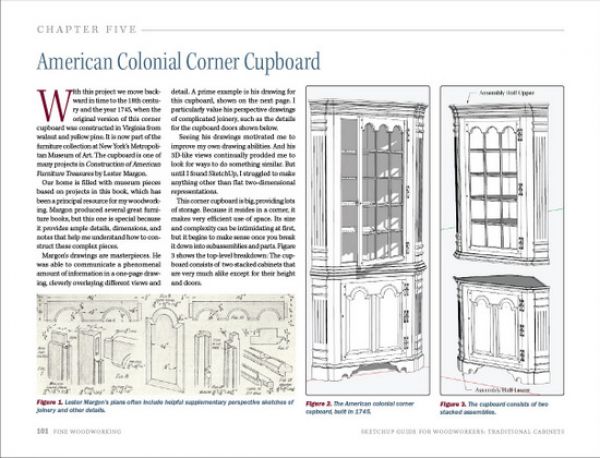
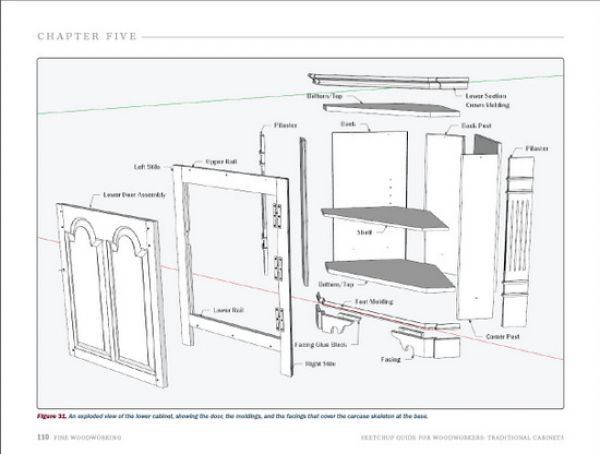
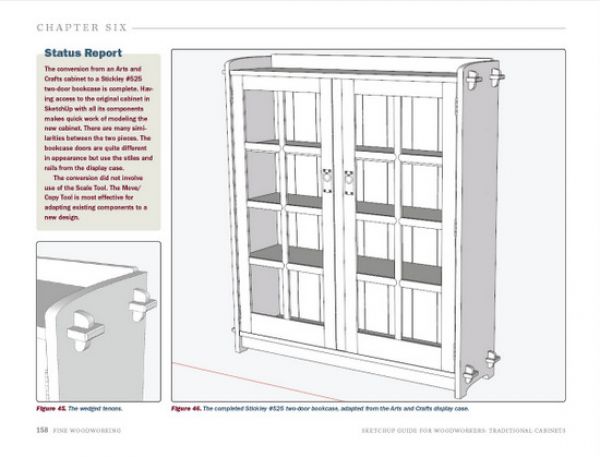
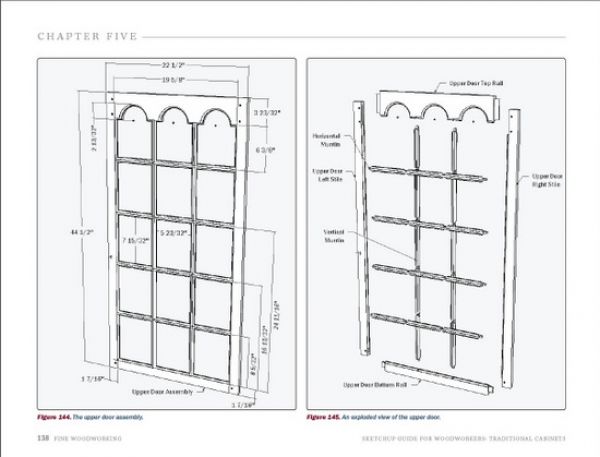
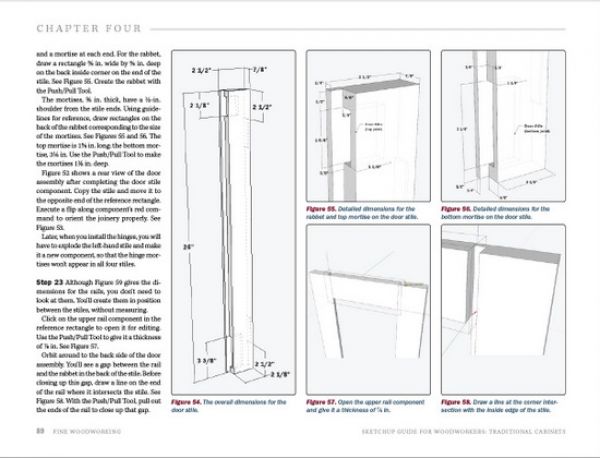
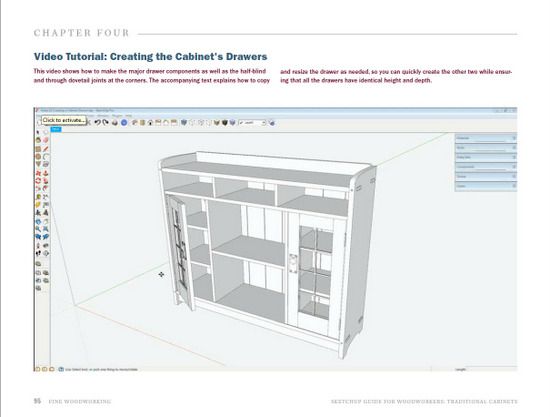
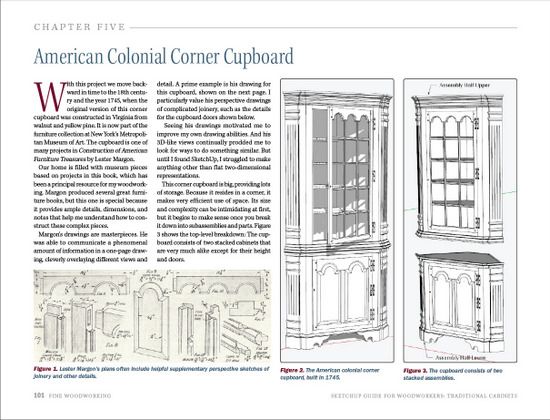
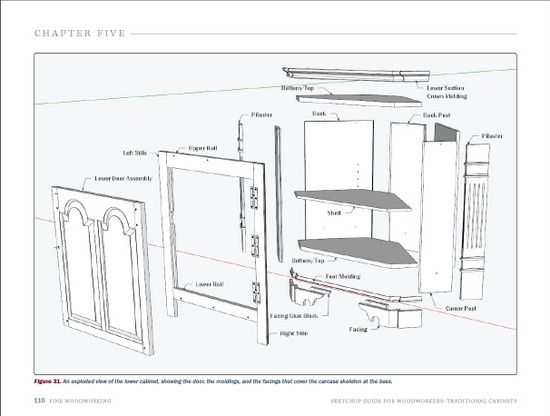
This book includes numerous computer-screen illustrations and annotated photos, as well as videos showing key SketchUp procedures. Below I’ve provided sample pages from the 193 page document.
Also accompanying are actual SketchUp .skp files, models, and components. These SketchUp files are complete with dimensions and all Scenes used to develop the shop documentation.
I look forward to your questions and issues using SketchUp. You can use this Blog site for questions, and often this results in offline email discussion and sharing of files. Both Dave Richards and I monitor activity here and respond, usually within hours, if not minutes.
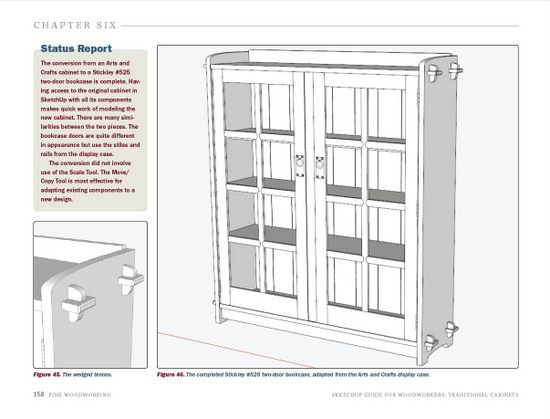
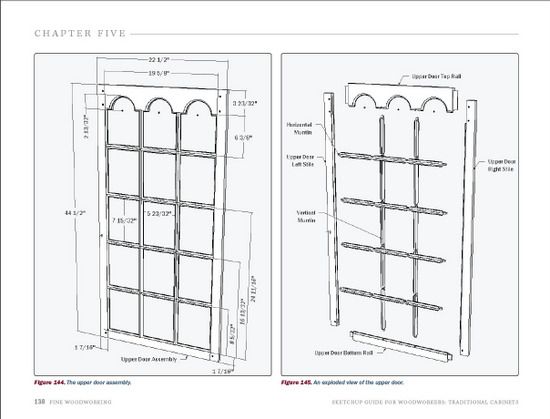
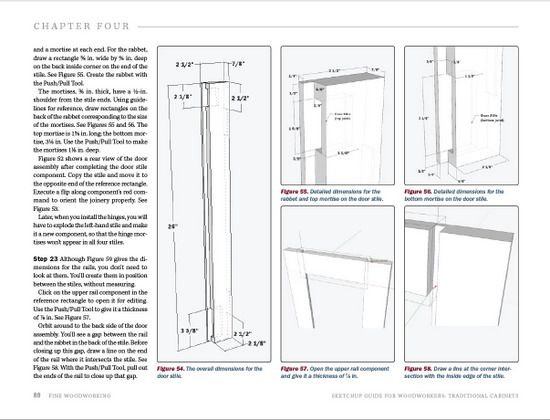















Comments
Tim,
You are no doubt very good with Sketchup. I bought your last ebook, and couldn't "read" it in ebook fashion. It was just too difficult to flip from page to page and comprehend the information without a hard copy. I ended up going to FedEx Office to get a printed copy ($$$), and they made me get "permission" from FWW first. Talk about aggravation!
So, would you PLEASE offer a printed copy of your ebook? How hard would that be, really? I can see buying an ebook of a novel, but if I am buying an instructional book, I want a hard copy, so I can flip back and forth and re-read sections as I need to.
Your book looks great, but if you don't offer a hard copy, I won't be buying it.
Please consider offering it in a hard copy. ebooks may be the future of publishing, but some of us not so old guys aren't ready for that future quite yet.
Thanks.
Martin S.
Martino23: I'm sorry you had trouble with the printing shop. I've not heard of that issue before. I agree that you need a hard copy or have it installed on an iPad or equivalent. Many readers are printing on their local printer, then taking the hard copy to a print service for binding only. The cost of the binding is usually less than $ 5.
I know Fine Woodworking gives considerable thought to the alternatives of publishing in eBook or hardcopy. Obviously there are many pros and cons. I'm sure they will use your input in consideration of future work.
Thank you for the feedback.....
Tim
Congratulations on your second ebook. I look forward to the content, especially the video segments.
Martin, there is a shortcut on windows (assuming you are using windows) that many people are unaware of. If you have your ebook open and your copy of sketchup you can switch back and forth by holding down the alt key and tapping the tab key. For some reason Microsoft never publicised this much.
Richard
What a great second book, will be worth quite a few hours of study. cheers
I have purchased, and downloaded your book. Where are the videos?
To MorrieLewis: the videos are embedded in the PDF file at strategic locations. Don't look for separate video files. Look for full-page indications of a video and click on the page. I've shown one of those video pages above in Chapter 4 Creating the Cabinet Drawers.
Tim
Tim, your previous book "Guide for Woodworkers" was advertised by FWW with a Table of Contents and Introduction available for online preview to help potential customers, like me, decide if this was a good book for them. (It was for me and I bought it.) Your new book is advertised by FWW without these items, particularly the Table of Contents. Any chance of either getting FWW to post the ToC or sending it to me directly if I send you my e-mail address? That will give me a clearer picture of what is covered in the book and help with my decision.
Thanks.
- Allyn
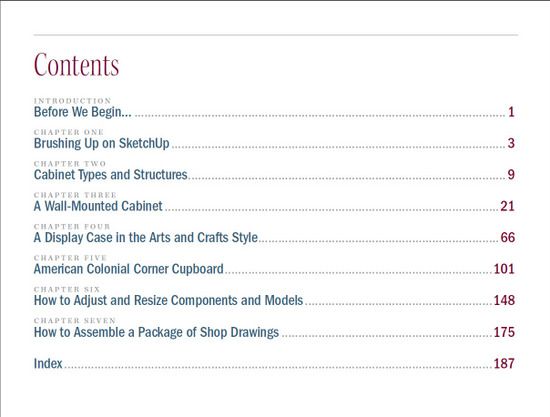
RockMaple: Below is the Table of Contents and other contents.
Thanks for the comment,
Tim
Introduction
Before We Begin…..................... 1
Chapter One
Brushing Up on SketchUp.............. 3
Chapter Two
Cabinet Types and Structures......... 9
Chapter Three
A Wall-Mounted Cabinet...............21
Chapter Four
A Display Case in the Arts and Crafts Style..66
Chapter Five
American Colonial Corner Cupboard...........101
Chapter Six
How to Adjust and Resize Components and Models..148
Chapter Seven
How to Assemble a Package of Shop Drawings......175
Index...........................................187
Also included:
Thirteen videos, and
Three .skp files
A Wall-Mounted Cabinet
A Display Case
American Colonial Corner Cupboard
I'M A Woodworker,retired shop teacher and just starting to learn Sketchup. How advanced in sketchup should I be before using your book?
To refin: you don't need to be advanced at all. But it would help a lot if you went through the first several chapters of my first book. There you get information on setup, how to move around the model, and how best to use the SketchUp tools for woodworking.
Tim
In your video #2 the top surface of the base of the cab sits below the axis lines, in #3 the bottom edge of the base of the cab sits on the axis lines. This seems to be a problem. When I draw the cab as instructed the base always sits below the axis lines and is a problem when lining up to make components.
To refin: the position of the cabinet, or any of its components, to SketchUp's displayed red, green, and blue axes at the origin, is not relevant to modeling, moving, or connecting components. The modeling can be done at any location in the modeling space. Making, positioning and moving components is done with specific axes in mind, but not with regard to those permanent displayed axes at the origin.
Tim
Have used and frequently referred to your original ebook. I also purchased a different company's two DVDs to help further my instruction. I also have downloaded the video tutorials from Sketchup. All have been very worthwhile, occasionally confusing, but ultimately making my experience with Sketchup very satisfactory. Seems I need to get your newest ebook, as well. May you never stop teaching and giving us information and may we never stop learning new and differnt ways of accomplishing our dreams.
With your "help", I am beginning to catalogue "clents" designs and projects to be kept for future reference. Adding a specific "addin - cutlist" has made an additional help in figuring out a few things here and there.
Thanks so very much,
David B.
@refin, a model can be placed anywhere within the modeling space. The red and green axes lie on the ground plane, though. If the camera angle is high enough, SketchUp favors drawing on the ground plane so it makes for an easy place to start. About the only thing that is affected by having the model drop below the ground plane is shadows. If you have shadows setup to be cast on the ground and the model is positioned below the ground plane, the shadows will look strange.
That is one of the primary reasons I draw my models standing on the ground plane.
To make the standard views work correctly, the front of your model should be parallel to the red axis and the solid blue axis will be up.
It's also wise to keep your model near the origin. If it is too far from the origin strange things can happen making it difficult to model.
-Dave
@refin, I made an example for you showing shadows when the model is partially below the ground plane. http://flic.kr/p/cYuQ5h
I have purchased, your first and second ebook and your books are realy grat and useful. I would like to ask for help because I have problem with videos in the "Sketch up Guide for Woodworkers Traditional Cabinets" I can't see them. Plase if you be so kind and write a schort guides how I can see that videos.
Looking forward to receiving your coment and thank you very much.
Best regards from Slovenia
Silvij
To Silvij: The videos are accessed on various pages of the PDF download. The first video is on Page 14, titled "Cabinets in CloseUp". You should be seeing a line-up of 7 cabinets in the video window. When you move your mouse over the the window, a "text flag" appears saying "Click to Activate". Simply click the mouse and the video will start.
If this does not work for you, then I suggest you contact Customer Service at FineWoodworking.com. You can click on the Customer Service link at the bottom of their web page.
I have trouble printing plans on a single page. Not sure what I'm doing wrong.
To Ridley, your difficulty in printing on a single page, may be fixed by a simple checkmark on the Fit to Page option.
After clicking on Print or Print Preview under the File tab in the Menu Bar, a print dialog box appears. In the middle of the page, make sure that Fit to Page is checked. Also make sure that Use Model Extents is unchecked.
With this setting, whatever view of the model that is displayed on the screen will print on the single page.
Tim
don't know if this is the place for questions, but I have a few, only one here. I bought your sketchup for woodworkers and have been practicing a lot with it. I drew a drawer pull for the blanket chest,saved it but I cant import it to the drawer which I drew seperately and saved it.I put the drawer pull in a folder in" My Documents". If you can't answer here could you email. Thaks for your great work.
To refin: this is a fine place to ask questions.
Simply copy your drawer pull while in that file (you can select the component, then copy with Ctrl C). Then go to your drawer file and paste the pull there.
Tim
I recently purchased the "Sketchup and Taditional Cabinets" ebook and loaded it onto my IPad only to find that only a very small number of the imbedded figures are visible, the bulk of them being blank spaces. The figures are visible when viewed the e-book is viewed on my PC. In contrast to this all of the figures in the "Sketchup for Beginners" that I had previously transferred to the IPad are visible.
I do not believe that memry space is and issue as I have approx 50GB spare space on the IPad. Any assistance in resolving the full transfer of the e-book would be truly appreciated.
To Slick6: Sorry you are having difficulty. I've not heard of any issues with using this file on the iPad. I have the PDF files installed on my iPads with no problems. I'm using the app, GoodReader for all of my PDFs.
Since your file on the PC is good, seems there may be an issue with the transfer of the file from your PC to the iPAD app.
In any case, you may want to contact Taunton Press Customer Support Center at 800 477 8727.
Tim
Log in or create an account to post a comment.
Sign up Log in