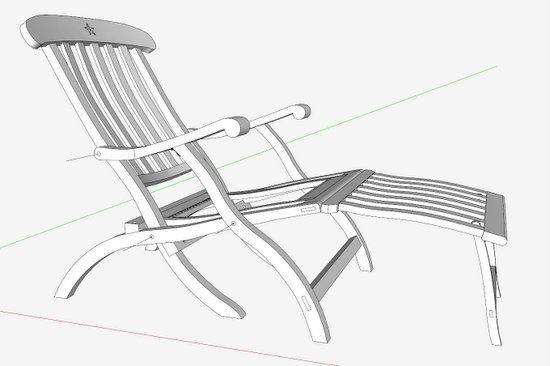
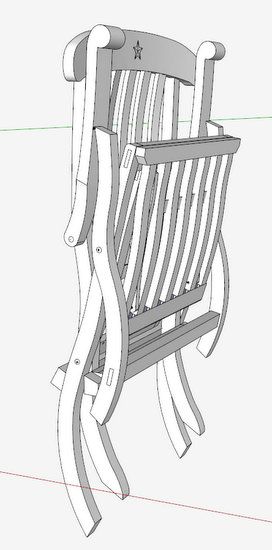
An important consideration for the design of the Titanic Deck Chair is its ability to fold into a flat assembly for storage. I’ve prepared a video below that shows how I checked the folding in SketchUp.
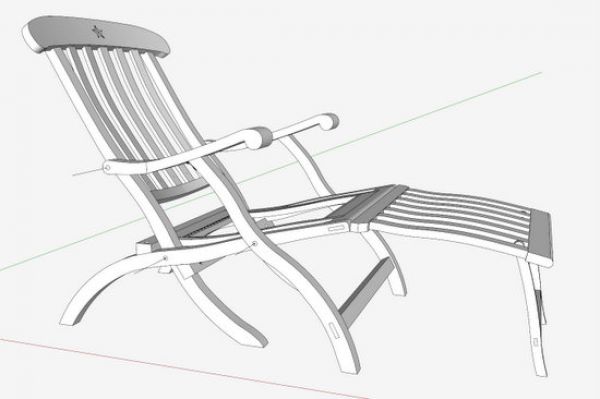
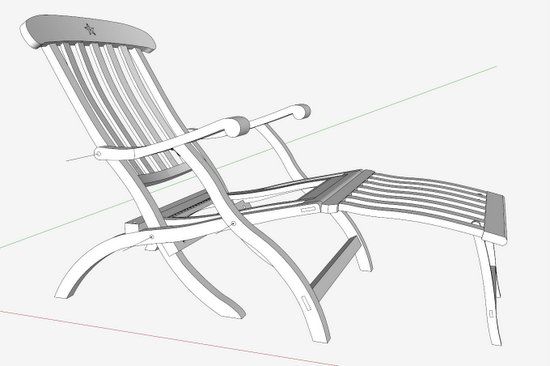
As shown in the side view below, there are four main pivot points in the arm and leg assemblies.
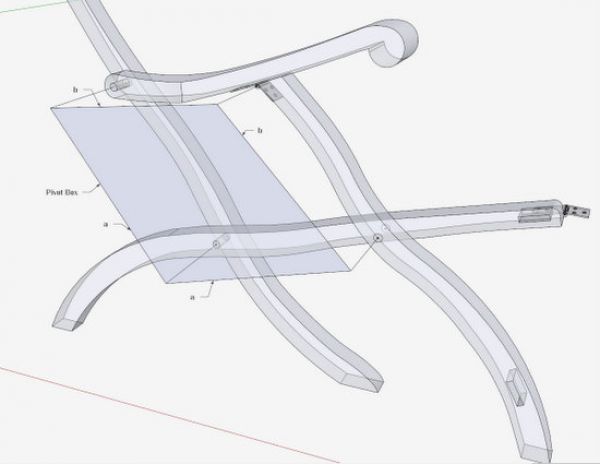
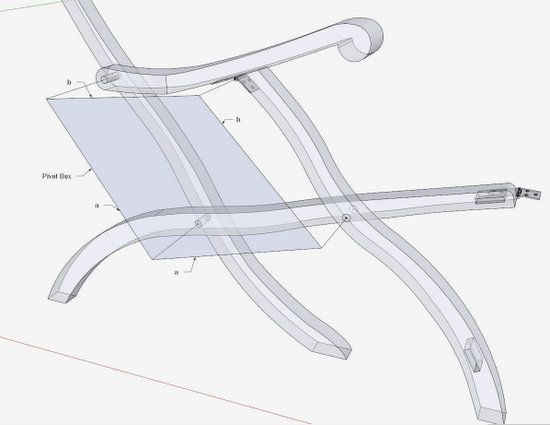
With multiple pivot points, the geometry of these rotation points becomes critical to a successful fold. Below is a picture of the pivot box in blue color. I’ve labeled the sides “a” and “b” lengths. With this arrangement, the folding should work fine.
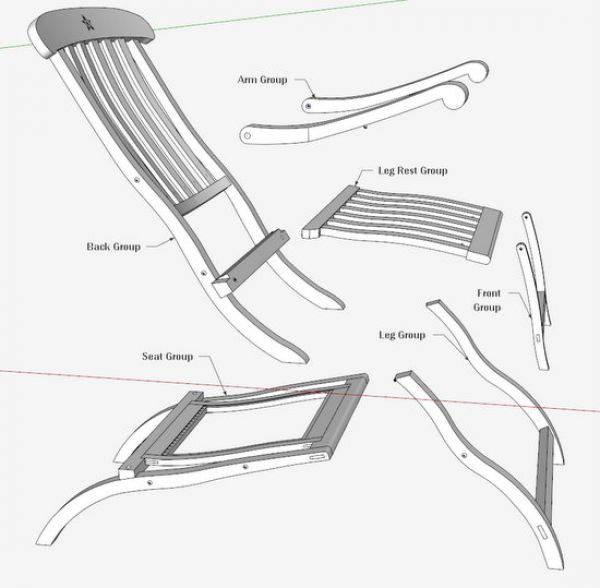
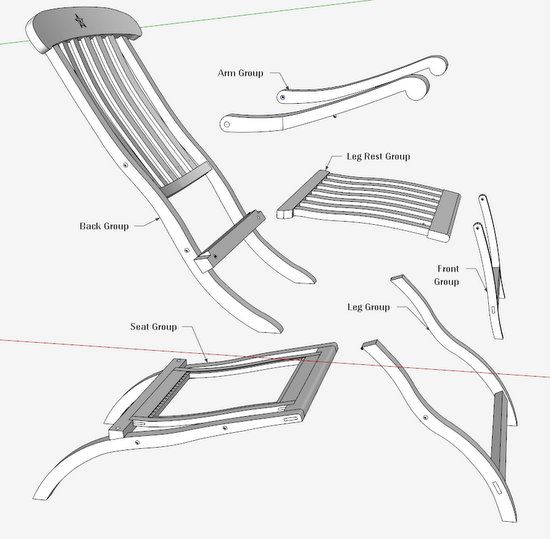
To check out the folding in SketchUp, I’ve grouped components in ways that make it easier. Here are the separate groups that I’ve defined. Having the groups greatly minimizes the amount of individual component rotations required. These groups represent the connected sub-assemblies in the constructed deck chair.
In the following video, I’ve shown the folding process in SketchUp. Obviously, SketchUp folding violates physical laws of nature – I break one of the connected pivots, and avoid gravity. The real fold works differently, but the results are the same.
Tim















Comments
Where can I get plans to build the Titanic Deck Chair? My e-mail address is [email protected].
Thank you
GL Porter
To 22...... I only know of one design that is available through a Google search. Unfortunately, I don't think this is an accurate reproduction. I have been working with several pictures to attempt a closer representation. I have also communicated with the Halifax museum, however without direct access to an actual chair, reproduction is full of error.
I am now building a prototype based on my model that I'm hoping is an acceptable match.
Tim
Popular Woodworking published plans in a 1999 article and you can get a full sized PDF copy from the website. Google 3d warehouse has three Sketchup models too. Good luck!
Log in or create an account to post a comment.
Sign up Log in