
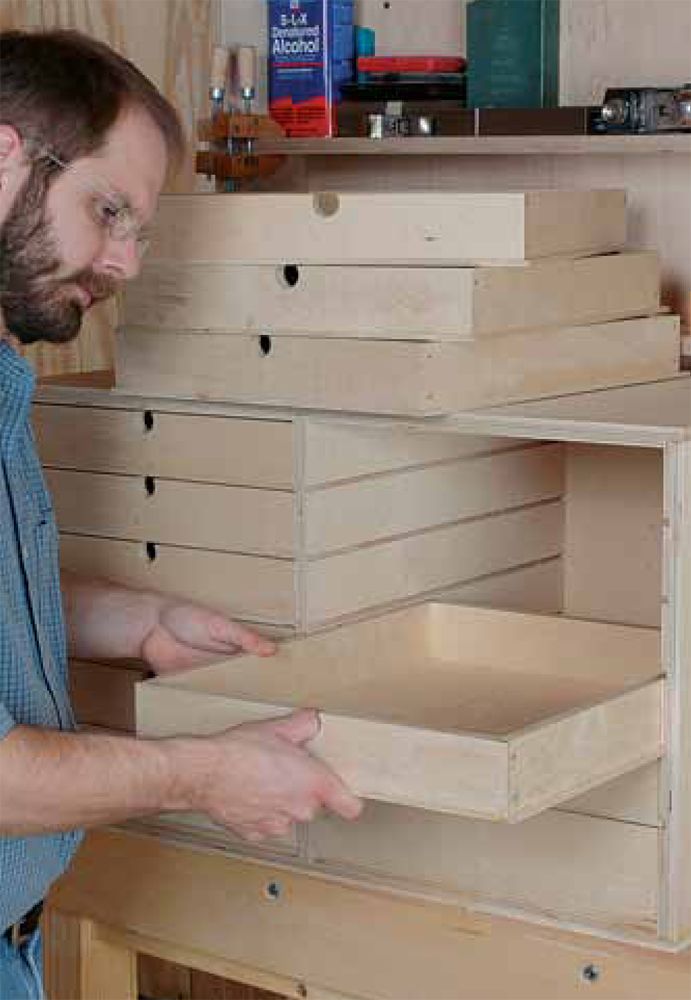
In this free chapter download from Taunton’s new book, Woodworking 101, learn how to build a case of drawers that will fit nicely underneath your workbench. With complete plans and drawings you’ll be able to keep your shop tidy and your tools easily accessible. This new book features highly visual and easy to follow projects for beginners, which includes detailed step-by-step photos, illustrations, shop schematics, and exploded drawings.
Click here to get your free chapter download
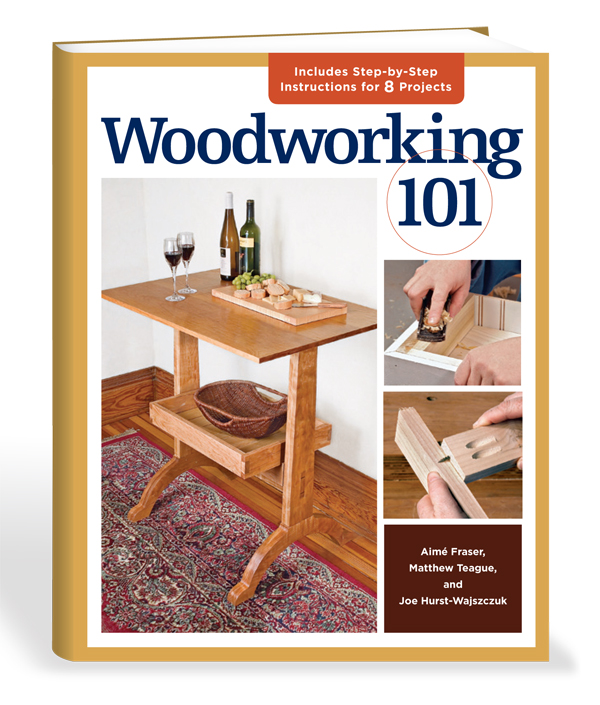
Want to read more? Buy the entire book today!
This site is protected by reCAPTCHA and the Google
Privacy Policy and
Terms of Service apply.












Comments
A "Free Download" of the chapter on building drawers to fit ounder ones workbench, hey??? Well, I failed to find a means of printing the chapter so I guess y'all meant a "free" peek at the chapter - if we want to build the drawers, we need to buy the book... It would have been nice if y'all had said that to begin with. I am very disappointed in you. I am a subscriber and I am prepaid for several years of issues.. I keep getting more "offers" to subscribe. These offers do nothing but irritate me. When my subscription gets close to running out, THEN send me a renewal notice.
I seldom buy "how to" or "project" books as more times than not they contain but one plan which piques my interest.
@able339,
Were you able to at least see the complete chapter on screen? If so, then your Adobe Acrobat Reader installation is working properly. Depending on your operating system and browser, the specific steps required to print the article vary, but trust me, it's possible to do.
The latest Acrobat Reader actually makes it more difficult to figure out how to print something. You need to hover your mouse near the bottom center of the page, at which point a toolbar magically appears. Click the printer icon near the left end of the toolbar, and you're all set.
-Steve
I would like to say thanks for the download, works fine on my laptop, no need to print it, it is relatively simple after all. All the info needed to build it is in the image above anyway. Thanks again.
When I click on "click here to get your free download" I get a blank screen. Whats up? Firefox on an IMac.
unable to download the free download please help
I had no problem downloading the Chapter.
The drawer construction information provided was very simple to follow and will assist with tool storage.
PS I am also a subscriber and keep getting that annoying "subscribe" message often.
Let me first say that I enjoy reading FWW very much. However... I would like to know how much of the information in Woodworking 101 is new material from FWW.
Thanks for your continued support and education on woodworking!
I had no trouble with the download, and while the chapter is pretty basic, the title of the book, "Woodworking 101" should be a clue. There were no surprises, but it did remind me of a tip or two that saves a lot of time.
Thank you for this download.
@JBOD - I'm having the same problem with MacBook Pro and Firefox. Safari allows me to open the article, but won't "Save As" the article. We might need to go to the dark side, I'm going to try Exploder on a WinXP box and see what I get. I'll keep you posted.
I use a Mac and Safari and had no issues opening the PDF and saving it for later reference. I simply clicked on the "Click here to get your free chapter download" link above which opened the PDF in the browser tab and then selected "File/Save As" to save it to my hard drive.
To all the folks with downloading problems, here's how I got past it today. (I'm using Firefox 11.0 on a Mac, OSX Lion...)
Instead if clicking normally on "Click here to get your free chapter download", (which for me produces a new tab with a blank screen,) use click, which reveals "Save Link As..." in the contextual menu. Pick a location to save the file, and there we are! Works like a charm!
I've never liked the phrase "Save link as..", feeling "Save inked item as..." would be better.
I`m a user from Munich/Germany. I have no problems to download these chapter (Windows 7 & Opera).
Thanks for these chapter - it will come to the right time. I am now finishing my own-build workbench (Design like Christopher Schwartz) and these Tools Storages are that what I am looking for.
Horst
It is nice to see international readers. Maybe Taunton could also publish a chapter from Computing 101 that covers downloading,reading, and printing .pdf files? And the excerpt is Woodworking 101. It is supposed to be simple!
Good chapter for simple to make tool drawers. Good learning technique as well.
The tool storage cabinet looks easy and fun to make, and I'm sure for most small workshops it would work wonders. My workshop is so small I wouldn't have the space for it. My workshop is so small I'm not sure I'd have the space to assemble there. But then my workshop is so small that I have to step outside just to change my mind.
Log in or create an account to post a comment.
Sign up Log in