-
Box Making Tips and Tricks -
How to Apply an Aerosol Finish -
How to Drill Windsor Chair Mortises -
T-Track is a Smart Workbench Accessory -
Five Minute Guide: Glue-Ups -
How to Make a Simple Jig for Offset Knife Hinges -
Fixing Woodworking Mistakes -
Dedicated Sled Delivers Perfect Finger Joints -
Buying and Using Trim Routers -
Router Jig for Perfectly Aligned Dadoes -
Upgrade Your Jointer with a Segmented Cutterhead -
Five Minute Guide: How to Use a Tablesaw -
Best Tabletop Finish -
3 Steps to Great Glue-Ups: Sliding Dovetail Joints -
How to Sharpen a Card Scraper -
Tablesaw Tapering Jig is Safer and Faster -
How to Cut Sliding Dovetail Joints
Cutlist 4.1.1 For SketchUp Released Today
comments (6) October 4th, 2010 in blogs
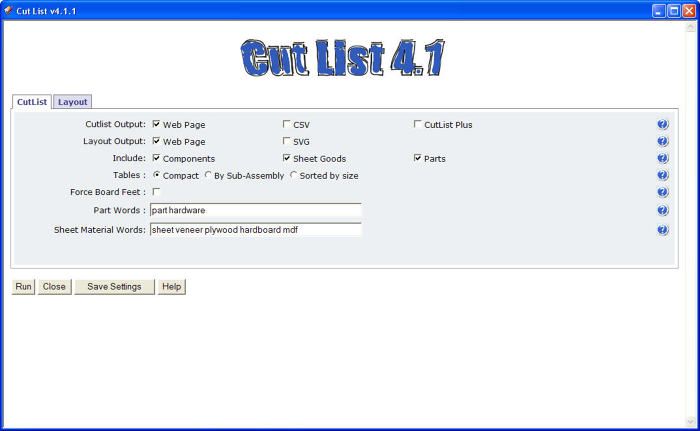
I've written in the past about the very handy CutList and Materials plugin. The author has been busy during his southern hemisphere winter making some modifications and additions. Today he announced the release of version 4.1.1.
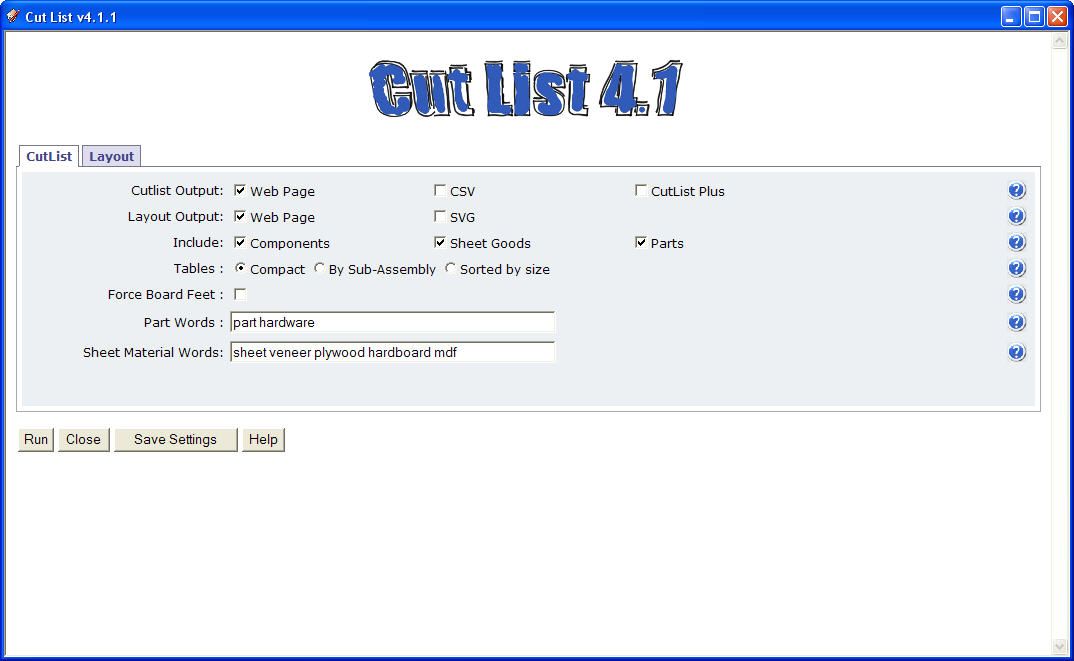
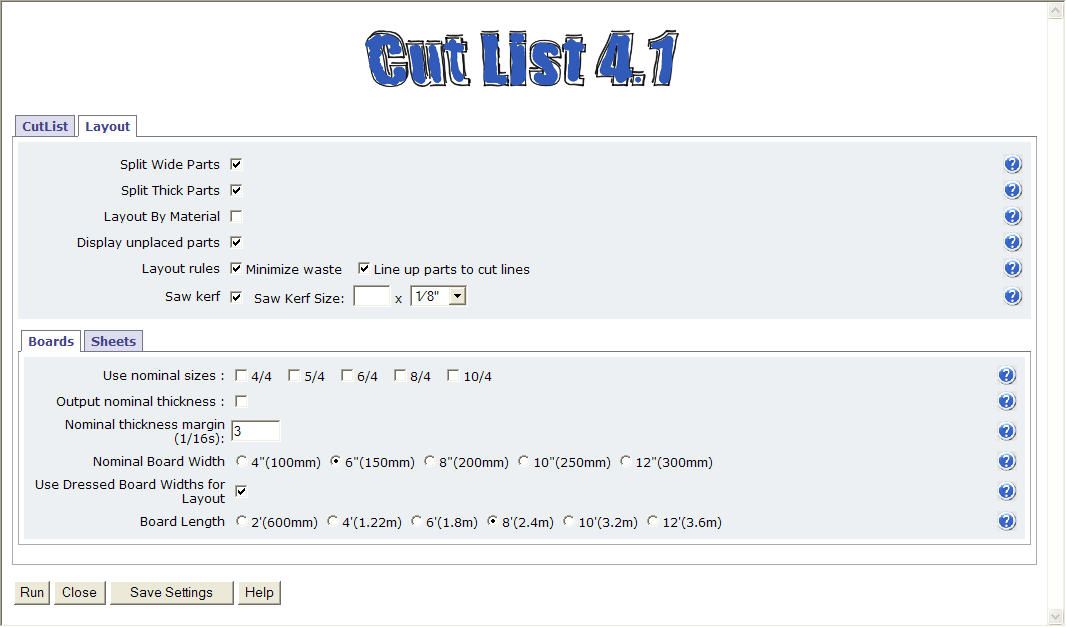
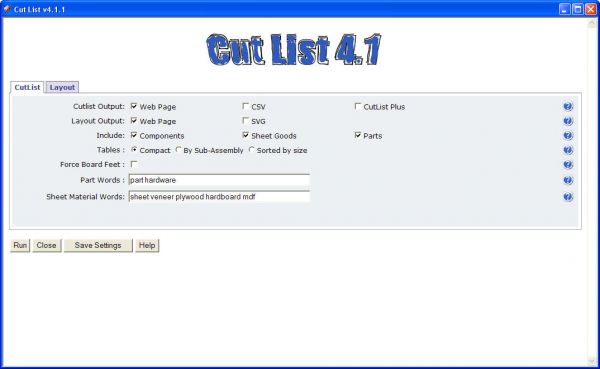
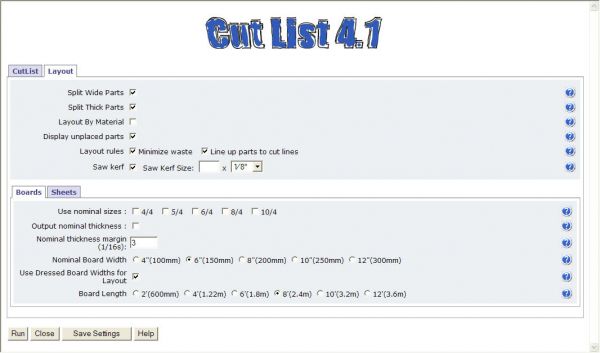
Most of the changes are under the hood to speed things up and improve printing. He's also added an option to sort the cutlist by sub-assembly. A sub-assembly is a nested component one level up from the lowest level of components. The layout section also handles saw kerfs now which was commonly requested option.
Here are a couple of shots of the interface.
I'll do an in depth blog post about using this very handy tool in my next blog post. In the mean time you can download the new version from this link. If you have the previous version already, remove all of it from your Plugins directory. There should be a folder called cutlistui and a file called CutlistAndMaterials.rb. The new version uses an entirely new structure and so the old won't be overwritten by the new.
posted in: blogs
Become a Better Woodworker
About Design. Click. Build.
Learn the art and science of designing furniture in SketchUp with Fine Woodworking's official blog. Moderated by a devoted community of woodworkers, we feature step-by-step SketchUp tutorials on designing components, downloads of pre-built 3D models of furniture parts, and news and information about the evolving world of digital furniture design.
Buy the Video
Don't miss Dave Richard's brand-new DVD/video download, The Basics.
Buy the Book
Get Tim Killen's popular eBook, the Google SketchUp Guide for Woodworkers.
Basic SketchUp Tutorials
Learn the basics of building furniture in SketchUp with these classic posts from the Design. Click. Build. blog.
Creating a Project Plan in SketchUp
How I Draw in SketchUp
Axes in SketchUp
The SketchUp Move Tool
The SketchUp Rotate Tool
The SketchUp Scale Tool
Materials, Colors, and Textures
Applying Wood Grain Skins in SketchUp
Easy Dovetail Joints in SketchUp
Digital Project Plans
Download and modify SketchUp files for select projects from Fine Woodworking. View all. Top Sellers: Matt's Monster Workbench New England Pine Cupboard Garden BenchMeet the Authors
|
|
DaveRichardsI am a Biomedical Equipment Technician. I maintain anesthesia and respiratory equipment for the largest medical facility in southeast Minnesota. I...view profile |
|
|
Tim KillenI am retired from Bechtel Corporation after 36 years in Engineering and IT management. I grew up among woodworking machinery in...view profile |
|
|
FineWoodworkingEditors...view profile |


Comments (6)
Thank again.
Daniel
Posted: 10:24 am on October 7th
http://www.finewoodworking.com/item/31860/cutlist-411-a-more-in-depth-look
Posted: 10:10 am on October 6th
I just get cutlist and would like to use it for my first project on sketchup. I'm looking on Internet to get a good tutorial to use it where can I find it?
Daniel
Posted: 9:31 am on October 6th
Posted: 7:58 am on October 25th
Posted: 4:16 pm on October 24th
Posted: 3:50 pm on October 24th
You must be logged in to post comments. Log in.