
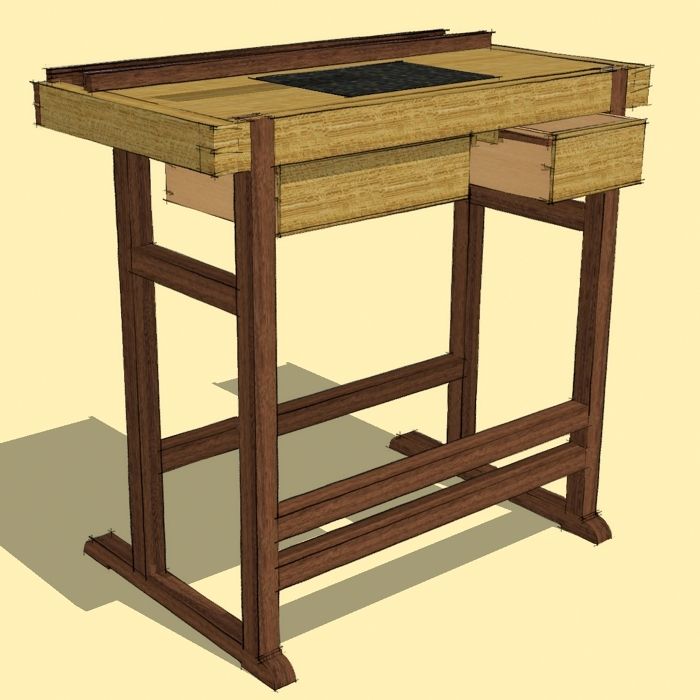
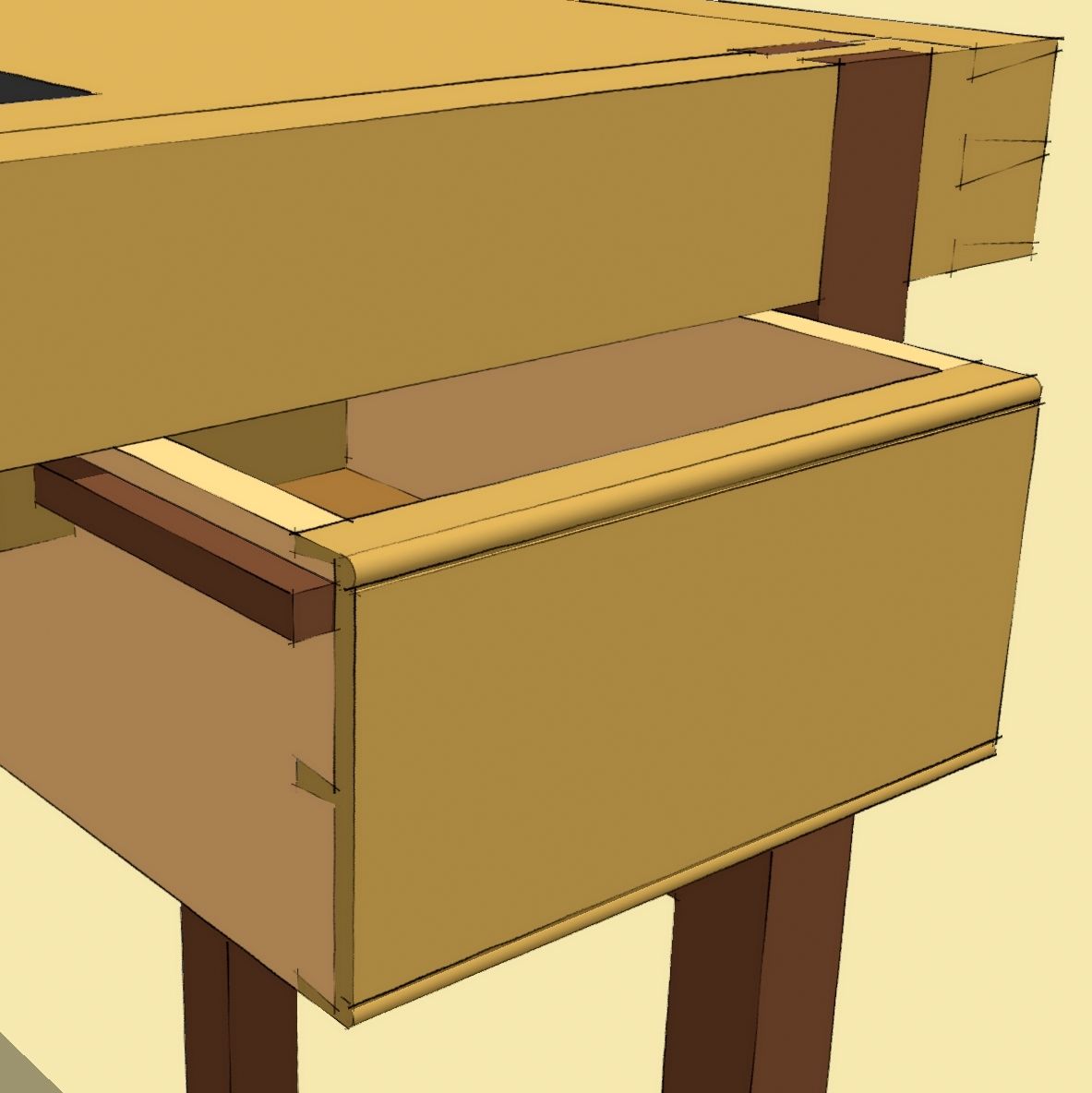
I’m always on the lookout for SketchUp plugins that will save me time and make drawing easier. This weekend a new commercial plugin called WUDWORX was released and it really speeds up the drawing of dovetail joints. There have been several dovetail plugins released in the past; I wrote about one of them awhile back. WUDWORX is the most user friendly one I have run into.
Installation is done by extracting the contents of the ZIP file into the Plugins directory. To make the toolbar usable you’ll need to enable the Extension. Go to Preferences>Extensions and tick the box for WUDWORX. The Preferences dialog box is accessed under the Window menu on the PC and under the SketchUp menu on the Mac. Then turn on the toolbar under View>Toolbars.
The toolbar looks like this:

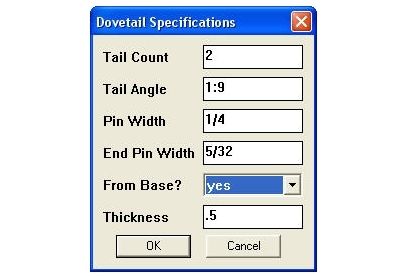
The button on the left activates the plugin while the right one opens the Dovetail Specifications dialog box which looks like this:
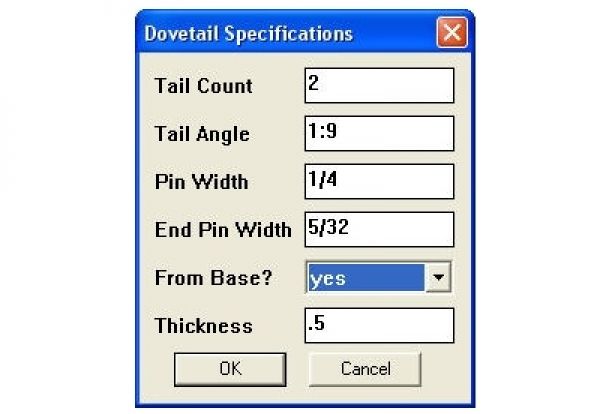
The settings are straightforward. Tail Angle will accept a slope as shown or an angle. If you enter 0 as the Tail Angle, you’ll end up with box joints. From base determines the direction the dovetails are drawn. So far I’ve found that leaving that set to Yes works for most situations. Thickness is set to the thickness of the component that gets the tails. The drawer sides for example. If this is set to 0 the plugin won’t push through to remove the waste. After you’ve made your settings, click on OK. The settings are persistent which means they’ll remain across SketchUp sessions until you change them. There’s more information about these settings here.
To use the plugin, click on the left button on the toolbar. click to set the starting point and click along the base line of the joint. Then move the cursor in the direction of the joint. The two videos, below show how this works. You can also access the plugin through the Plugins menu.
This video is by the author of the plugin.
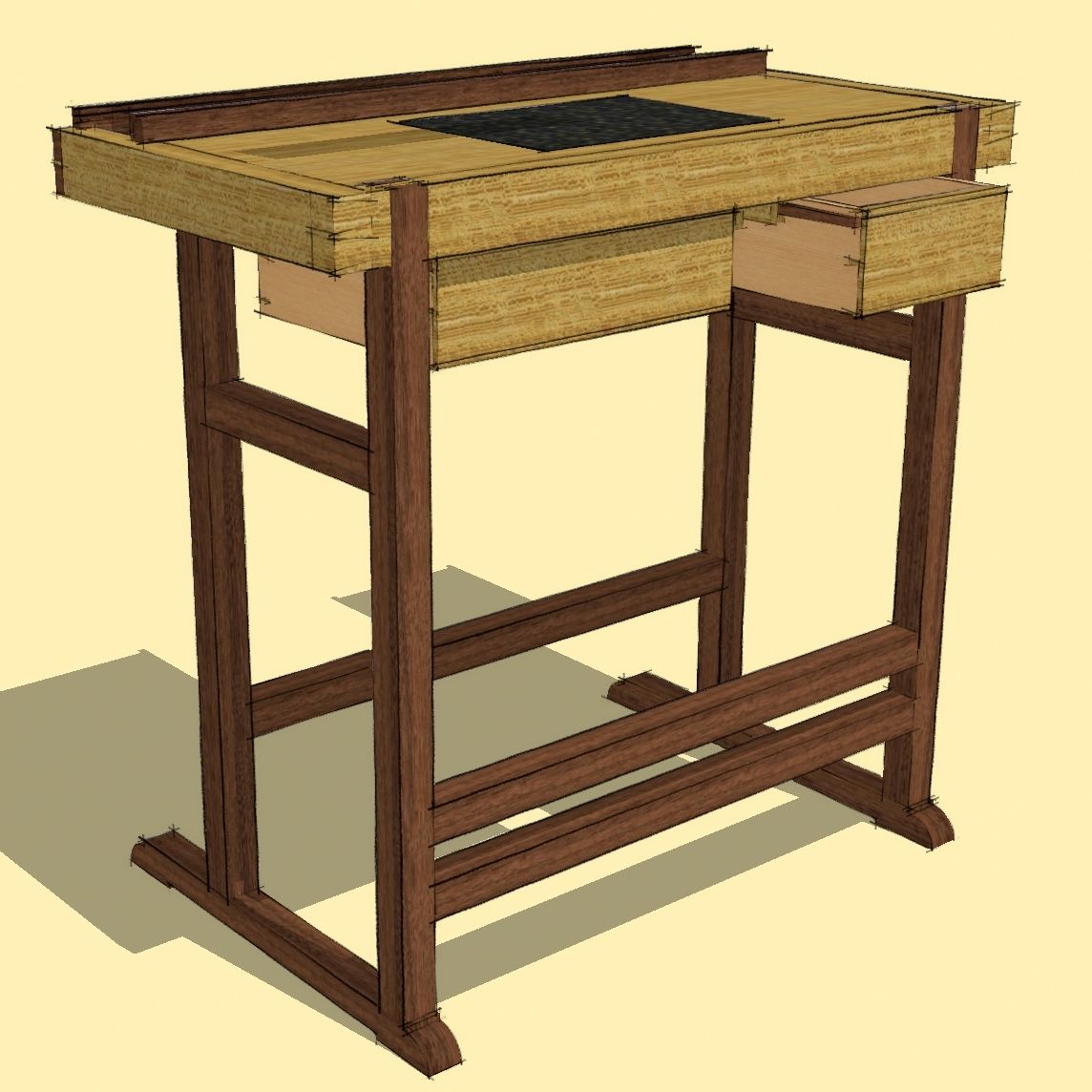
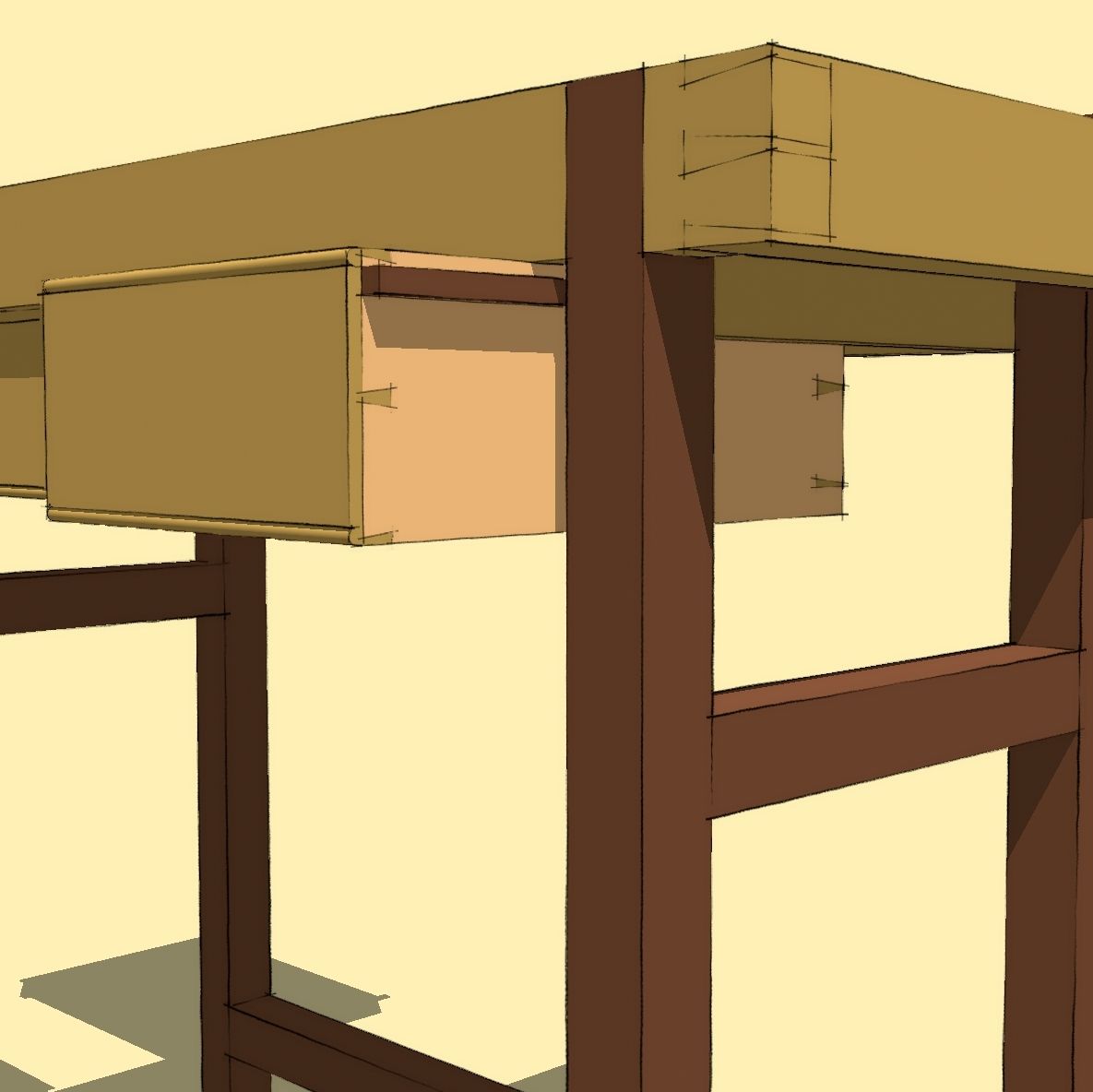
And this is a video I put together to demonstrate the plugin being used on the apron and drawers for Tom Fidgen’s Sharpening Bench.
If you draw SketchUp models to joinery level, I think you’ll find this script to be a worthwhile addition to your collection. You can get the plugin at this site.


















Comments
Hmm. At the price, I feel it needs a bell and whistle or two. For example and at a minimum, the ability to create a fatter tail/socket at the base of a drawer side/front to receive the drawer bottom.
Variable spacing for decorative layouts such as houndstooth would be nice as well.
Why go to this trouble? Well if one is modelling the dovetail joinery at all (and for many purposes it will be an unnecessary level of detail) it is probably precisely to demonstrate the joinery to best advantage. For a simple row of dovetails, I would not bother to take measurements from a plan or SU drawing, preferring instead just to mark them out on the work with dividers - something I have to do anyway.
Dave, Thanks for the plug.
As for the plugin - it may not be for everyone. the set price is set in comparison to other plugins in the market that cost more and do less. there is quite a bit of complexity in this plugin. not to say that it cannot be improved. there are already several ideas to push it into more capabilities such as variable spacing, multiple saved presets etc. but thats the nature of the beast. you have to start somewhere. and as much as I can be objective, I think it's a good start.
for a person that designs to the joinery level of detail, this plugin seriously speeds up the process and does have a good return on value. If one does not go down to the joinery level in the design process, than it is correct to assume that the plugin may not be suitable for that person.
Always glad to hear comments and ideas though. keep them coming.
David,
Nice post, I hope to find some time this year to try to get my head around using Sketch-up and this looks like a great plug in for when I do!
It's funny because when I originally designed the sharpening bench I had full intention on using dovetails for the drawers but decided to simplify them at the last minute due to my time line. Its nice to finally see how they would have looked!
Thanks for this and keep well.
Tom
It should be noted that there is a free ruby script that will draw out, in line form, a series of dovetails. Its not fully automated (as this version is) but it is a way to quickly view various dovetail spacings. You could even generate different spacings and then manually combined them to produced a set of dovetails with variable spacing.
It can be downloaded here along with brief intructions:
http://thewoodenscrew.blogspot.com/2009/06/dovetail-plugin-for-sketchup.html
Yes there is that plugin. I wrote about it before and included a link to that blog post in the first paragraph, above.
It sounds like variable spacing and other details may be on the list of features to be added for this plugin. In the meantime, it is simple enough to make adjustments to the dovetails after they've been placed via selection boxes and the Move tool. It would still be faster to place the joint with the plugin and then move or resize as needed than to layout and draw the joint by hand.
Dave
Sorry about the redundant posting... I am guilty (once again) of looking at the pictures and not reading, lol.
No need to apologize. Does that mean the pictures are worth looking at?
David
I always find your posts (pictures and text) worth a look.
Dave do you have a the sketchup model of the sharpening bench. The dovetail plugin looks great - I'm going to try it.
pessmitty, I do have the SketchUp model of TOm Fidgen's Sharpening Bench.
Yes, I agree. the Dovetail plugin is great.
Dave, is the sketchup model of the Sharpening Bench available? I plan on building the bench and having the sketchup model would be helpful.
Hi "fjelly."
I'm sorry. It is not available but it's a pretty straightforward drawing project. The dimensions are available so it should be possible to make your own model of it.
Log in or create an account to post a comment.
Sign up Log in