showing 41 - 60 of 257 posts
First  < Previous 1 2 3 4 5 Next >  Last
Sort By:


Subscribe to RSS feed
Showing Off Your SketchUp Inventory

Showing Off Your SketchUp Inventory

2 comments

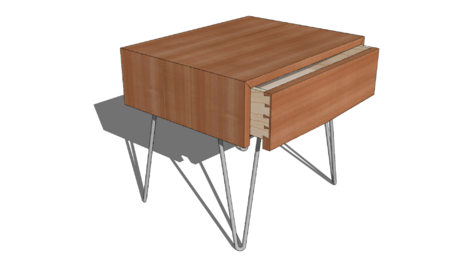
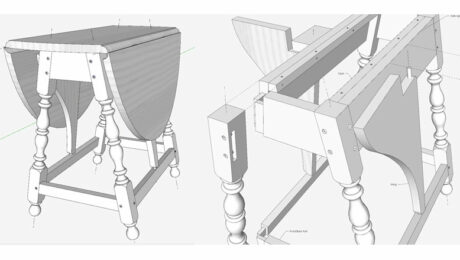
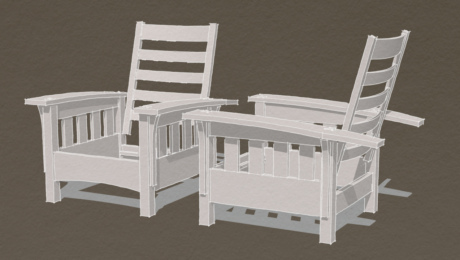
It recently occurred to me that I could create display rooms of my furniture in SketchUp. I'm not sure how this could be productively used, but it is interesting to see what you can achieve. I was...

view details
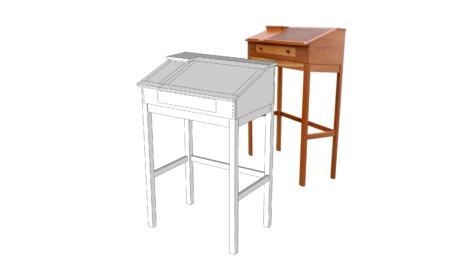
From 3D Model to Shop Plan -- A Workflow Example

From 3D Model to Shop Plan -- A Workflow Example

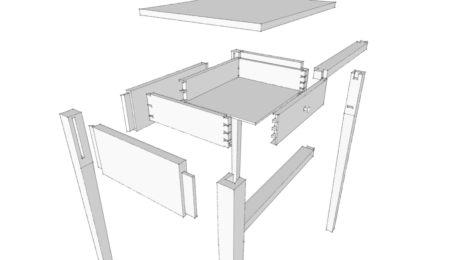
The other day a friend of mine was asking me about how I go from a 3D model in SketchUp to a plan or shop drawing. He was looking for an efficient way to do the same thing so he can spend more time...

view details
Tough Going with Follow Me

Tough Going with Follow Me

2 comments

The Follow Me Tool has been one of the most reliable and effective tools in my design of furniture in SketchUp. After all, I like furniture with turnings and moldings so Follow Me has been...

view details
Have You Run Into the Clipping Plane?

Have You Run Into the Clipping Plane?

3 comments

In this case, I'm not referring to a particular shop hand plane, rather a phenomenon in SketchUp. You can run into a Clipping Plane when zooming in very closely to your model.  All of a sudden...

view details
Putting Slats on an Adirondack Chair

Putting Slats on an Adirondack Chair

I had a request for the contents of a blog post I did on the old blog platform. I no longer have the text and images but I found the model so I could redo it. Perhaps this will be new for some...

view details
Do you Click-Move-Click, or Click-Drag-Release?

Do you Click-Move-Click, or Click-Drag-Release?

7 comments

A reader of my book recently asked why his mouse was not working like my book explanations. While drawing a line with the Line Tool, he could not get the mouse to "click-move-click", rather he was...

view details
Creating New Materials

Creating New Materials

9 comments

Last week  I was asked to describe how I make wood grain materials for use in SketchUp. Here's a bit of the discussion we had. To start with, I find some useful images. For wood grain materials...

view details
Evolving a Design in SketchUp

Evolving a Design in SketchUp

6 comments

When beginning a new design, I plan on saving several SketchUp versions as the project develops. I will start with a "1" after the filename, and continue with "2, 3, 4, 5…. etc." when changing...

view details
Drawing With Plugins

Drawing With Plugins

The other day I was looking through an old book and came across a ladder back chair with a rush seat. I thought it would make an interesting excercise in SketchUp and commenced to drawing it. I made...

view details
Showing Shop Dovetail Procedure (in SketchUp)

Showing Shop Dovetail Procedure (in SketchUp)

7 comments

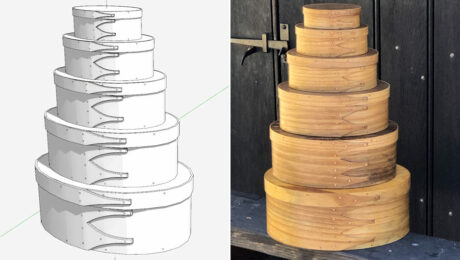
Recently I tried to explain my dovetail procedure used in the shop. The project was making several Shaker Chip Boxes, and each corner is fastened with hand-cut dovetails thesenbspare...

view details
Resizing a Model

Resizing a Model

In my previous blog entry I mentioned that, after drawing the model to the dimensions of the original, I would like to make it slightly deeper. I also think wider would be good. At the request of one...

view details
Modeling a Windsor Chair - Part 1

Modeling a Windsor Chair - Part 1

For next semester's class at Mount Diablo Adult Education Center, I'm developing a model and accompanying design documents for a Braced Comb-Back Side Chair. I like to replicate actual 18th C...

view details
Using a Reference Sketch—Another Approach

Using a Reference Sketch—Another Approach

5 comments

In my previous blog post entry I wrote about tracing a reference drawing to get the basics for a 3D model. sometimes the reference drawing isn't at all useful for tracing. It may not be drawn...

view details
Tracing a Reference Drawing

Tracing a Reference Drawing

6 comments

Once in awhile it happens that you want to draw a SketchUp model from a sketch on paper. Perhaps it is something you've drawn out by hand or as in this example, it's from a an old book published in...

view details
Checking a Plane Angle - in SketchUp?

Checking a Plane Angle - in SketchUp?

4 comments

Sometimes it's easier to determine a difficult angle by drawing a model of the problem in SketchUp and measuring the angle. Recently in one of my classes, while hand planing the surface of a drawer...

view details
An Index - eBook References to DCB Blogs

An Index - eBook References to DCB Blogs

3 comments

Several blog entries here in Design. Click. Build.  provide more information on sections and procedures in my eBook, "Google SketchUp Guide for Woodworkers". Below I've idexed these references...

view details
Stopped Curved Chamfers

Stopped Curved Chamfers

4 comments

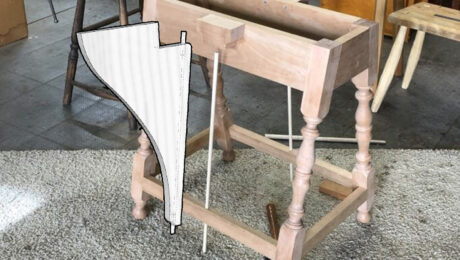
When I was working on the SketchUp model for the plans to Michael Peckovich's Arts and Crafts Dining Table I had to draw the chamfers on the curved end caps of the hayrake stretcher. The...

view details
Connecting a Dowel Joint

Connecting a Dowel Joint

1 comment

Some SketchUp users may wonder how you align and connect a dowel joint. After all, there are no corners  to grab on the dowel to match-up with the socket. To get around this limitation, you need...

view details
Reusing Your Models

Reusing Your Models

2 comments

Students of programs like AutoCAD learn early to never draw anything twice. The same applies in SketchUp. If you can do so, reuse components you've drawn rather than redrawing them. I written in the...

view details
Documenting a Shop Procedure (and also a Training Tool)

Documenting a Shop Procedure (and also a Training Tool)

2 comments

I sometimes regret not capturing and documenting successful shop construction procedures, particularly those complex ones not used frequently. I easily forget how I worked it out before, and end up...

view details
showing 41 - 60 of 257 posts
First  < Previous 1 2 3 4 5 Next >  Last